
• Home
  • Training Books
  • Subscribe to Our Email Newsletter
  • About
    • Contributors
    • Feedback
    • Contact
    • Privacy policy
    • Cookie Policy

CADnotes

CAD Tutorials and Best Practices for professionals and students

  • Featured
  • AutoCAD
    • AutoLISP
  • Revit
    • Revit Architecture Basic
    • Revit MEP Basic Tutorial
  • Inventor
  • MicroStation
    • MicroStation Basic Tutorial

Adding AIA standard layers with LISP

September 20, 2012 by Edwin Prakoso 4 Comments

If you want to implement AIA standard layers, this is an AutoLISP that will do that. You can add hundreds of layers in few seconds!

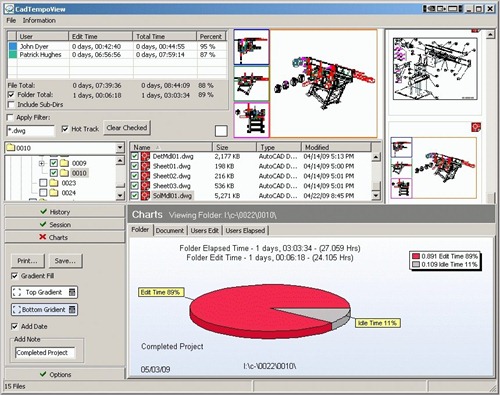
CadTempo: Automatic time tracking tools for CAD users
September 19, 2012 by Edwin Prakoso 1 Comment

Do you need to track time of your AutoCAD users? CadTempo can do it automatically. It works for other CAD software too!

Do you need to see detailed DWG properties in Windows Explorer?

September 18, 2012 by Edwin Prakoso Leave a Comment

Do you need to find a file with specific properties between hundreds of drawings? Or just want to quickly see properties without opening it? You can do it with DWG column!

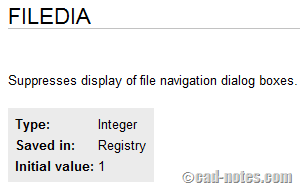
Why reinstalling might not fix your AutoCAD problem
September 4, 2012 by Edwin Prakoso Leave a Comment

AutoCAD doesn’t work as you want it to? And even reinstalling AutoCAD doesn’t solve the problem? It might not be a problem at all! It maybe your system variable has changed!

How to: convert dynamic block to regular AutoCAD block
August 28, 2012 by Edwin Prakoso 3 Comments

Need to convert dynamic block to regular/static block? There is no tools or direct way to do it. Here are some workarounds you can do!

How to: render sunlight in Autodesk cloud rendering

July 26, 2012 by Edwin Prakoso 1 Comment

Having problem when rendering with natural sunlight using cloud rendering? In Autodesk 360 rendering, you need to save the sun properties to your view first. See how you can do it here.

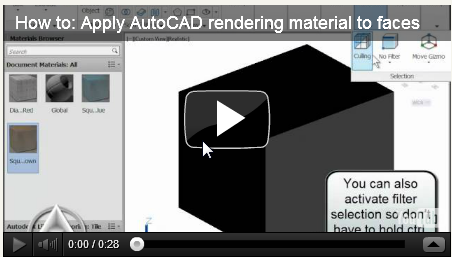
So you want to apply different rendering materials to different faces?
July 5, 2012 by Edwin Prakoso 4 Comments

You can apply AutoCAD rendering materials to sub object level. In this case, it is the object’s faces. We give you a quick tip and a video how to do it!

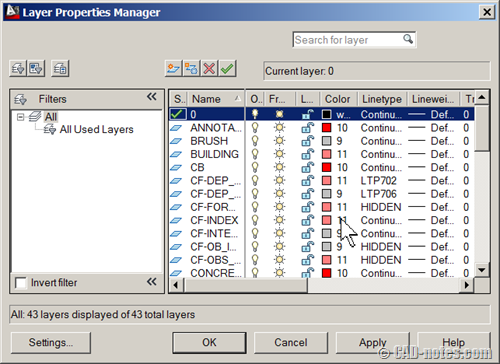
Having problem viewing AutoCAD layer manager palette?
June 27, 2012 by Edwin Prakoso 1 Comment

If you can’t see layer manager palette properly, then it might be graphic card compatibility issue. Try to use old dialog box to solve it!

  • « Previous Page
  • 1
  • …
  • 8
  • 9
  • 10
  • 11
  • 12
  • …
  • 14
  • Next Page »

Featured

Free e-book: Working with AutoCAD Annotation Scaling

To celebrate CADnotes 8th anniversary, we provide this e-book for all readers. It is free. It covers how Annotation Scaling works and how to use it. We hope you will like it!

Recent Articles

  • AI-Powered Rendering Now Available in Forma Board
  • Autodesk Forma Is Not The New Name For ACC
  • Placing Views on Sheet Efficiently with Saved Position

Advertisement

New on CADnotes

  • AI-Powered Rendering Now Available in Forma Board
  • Autodesk Forma Is Not The New Name For ACC
  • Placing Views on Sheet Efficiently with Saved Position
  • Autodesk Forma: One Platform to Rule the AEC Lifecycle
  • Accessing Autodesk Docs Files from Windows Explorer

Meet the Authors

avatar for
avatar for
avatar for
avatar for
avatar for
avatar for

Get Connected

CADnotes on FacebookCADnotes on InstagramCADnotes on TwitterCADnotes on YouTube

© 2009 – 2026 CADnotes · Feedback · Privacy Policy · Become an affiliate