
• Home
  • Training Books
  • Subscribe to Our Email Newsletter
  • About
    • Contributors
    • Feedback
    • Contact
    • Privacy policy
    • Cookie Policy

CADnotes

CAD Tutorials and Best Practices for professionals and students

  • Featured
  • AutoCAD
    • AutoLISP
  • Revit
    • Revit Architecture Basic
    • Revit MEP Basic Tutorial
  • Inventor
  • MicroStation
    • MicroStation Basic Tutorial

AutoCAD 2015-2018 Geolocation Bing Maps Hotfix

June 20, 2017 by Edwin Prakoso Leave a Comment

AutoCAD uses Bing Maps 7 for online map service. Bing Maps 7 will be discontinued soon, install this hotfix so you can continue using the online map service!

AutoCAD 2015 Geolocation Online Map hotfix

November 7, 2014 by Edwin Prakoso Leave a Comment

Autodesk has released hotfix to fix AutoCAD issue with Bing map not downloading, when you use Geolocation tool.

AutoCAD and Inventor security hotfix for Heartbleed vulnerability

May 2, 2014 by Edwin Prakoso Leave a Comment

Autodesk has released security hotfix for AutoCAD and Inventor. These will fix Heartbleed vulnerability security issue.

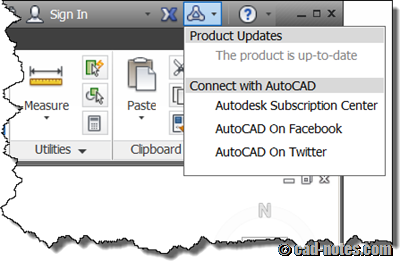
How to keep your Autodesk product up-to-date
June 15, 2012 by Edwin Prakoso 4 Comments

Do you want to make sure you have latest service pack and hotfixes installed for AutoCAD, Revit, 3DS Max and all other Autodesk products? See how you can do it here!

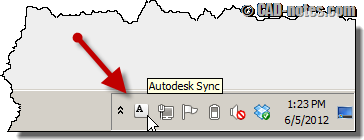
Hotfix: Autodesk sync error
June 5, 2012 by Edwin Prakoso Leave a Comment

Hotfix available for persistently sync error in system tray. If you are using AutoCAD 2013 or other products that use Autodesk 360 sync, you should apply this hotfix.

AutoCAD 2012 block editor hotfix

July 4, 2011 by Edwin Prakoso 3 Comments

An AutoCAD 2012 hotfix is available. This critical update will fix block editor corruption.

Featured

How to: Selectively Select Objects in Revit

Revit model usually is not as complicated as an AutoCAD drawing. You can select objects easier before you modify it. However, in a complex model, you need a method to select multiple objects faster. You want to select them based on specific properties. For example, you want to select all walls with a specific type. Or you want to select all walls with a specific function.
We cover different methods in this article that you can use.

Recent Articles

  • AI Is an Assistant, Not a Replacement
  • Open Large Revit Models Faster: Incremental Model Open
  • 10 AutoCAD Commands Only Veterans Know

Advertisement

New on CADnotes

  • AI Is an Assistant, Not a Replacement
  • Open Large Revit Models Faster: Incremental Model Open
  • 10 AutoCAD Commands Only Veterans Know
  • Is Your Revit Model Healthy?
  • Older Revit Will Lose Access to Cloud Models

Tags

360 annotation scaling AutoCAD autocad 3D AutoCAD 2011 AutoCAD 2012 AutoCAD 2013 AutoCAD 2014 AutoCAD 2015 AutoCAD 2016 AutoCAD Basic Series autocad tips AutoCAD troubleshoots AutoCAD WS Autodesk 360 autolisp block command line cui cui tutorial customization dimension dimension styles DWG dynamic block dynamic block tutorial Hatch hotfix layer macro MicroStation Basic MicroStation Tips rendering material Revit 2023 Revit Architecture Basic Revit MEP Basic Revit what's new service pack system variable template tool palettes view viewport WBWA2014 xref

Sharing is Caring

© 2009 – 2026 CADnotes · Feedback · Privacy Policy · Become an affiliate