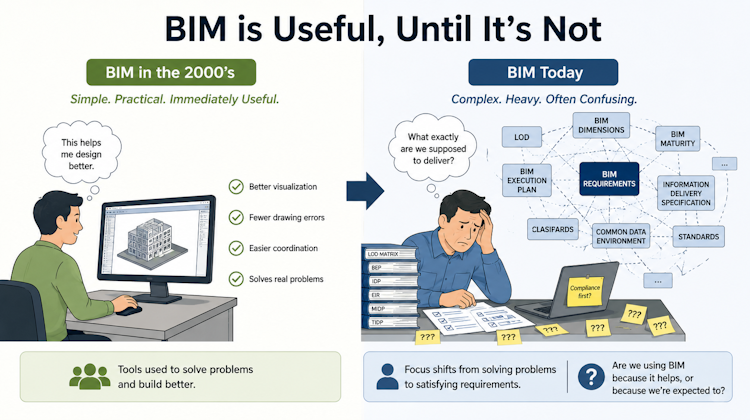
BIM started as a practical solution that helped teams visualize designs, reduce errors, and improve coordination. But as standards, frameworks, and mandates evolved, the conversation often shifted from solving problems to satisfying requirements. Has BIM become more valuable over time, or simply more complicated? This article explores that question and invites an open discussion.
Featured
Latest articles
Older Revit Will Lose Access to Cloud Models
Starting from July 6, 2027, Revit 2022 and older can no longer create or open Revit Cloud Models, including Revit Cloud Worksharing.
Automation is not AI
Software vendors quickly label every automation feature as “AI.” But automation and AI are not necessarily the same thing. If a system follows predefined rules, that’s automation. It’s valuable, but it doesn’t involve intelligence. AI comes into play when the system can interpret information, recognize patterns, make predictions, or generate responses beyond a fixed set […]
BIM Doesn’t Fix Your Problems
One of the most common misconceptions about BIM is that implementing BIM will automatically solve project problems.
It won’t.
AI-Powered Rendering Now Available in Forma Board
Explore your design ideas with your team in Forma Board, and visualize it. Now powered by AI!
Autodesk Forma Is Not The New Name For ACC
Autodesk Forma is not just a rebranding of Autodesk Construction Cloud (ACC). In this article, we break down what Forma includes today, how it connects with tools like Revit, and what it signals about Autodesk’s direction toward a cloud-based, data-driven AEC platform.


