
• Home
  • Training Books
  • Subscribe to Our Email Newsletter
  • About
    • Contributors
    • Feedback
    • Contact
    • Privacy policy
    • Cookie Policy
  • Bahasa Indonesia

CADnotes

CAD Tutorials and Best Practices for professionals and students

  • Featured
  • AutoCAD
    • AutoLISP
  • Revit
    • Revit Architecture Basic
    • Revit MEP Basic Tutorial
  • Inventor
  • MicroStation
    • MicroStation Basic Tutorial

Sharing files and designs with Autodesk 360

January 21, 2014 by Edwin Prakoso 4 Comments

If you have Autodesk account, you can have free 5GB online storage. You can use it to share large files or provide 3D viewers. You can showcase your design on your company website or your personal portfolio!

Easy Design with Master Skeleton Concept in Inventor
January 6, 2014 by Andriana Teja Permana 10 Comments

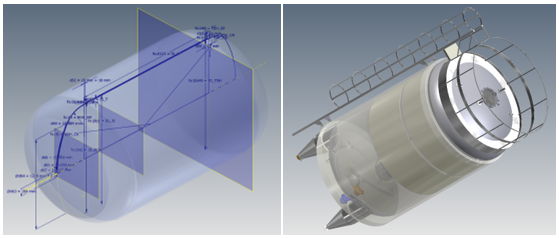
aseptic tank

Are you familiar with master skeleton design concept in Inventor? Read how to do it in our tutorial here! From sketches to complete assembly.

Automate Flat Pattern of Continuous Spiral Flight Design Using iLogic
December 28, 2013 by Dwi Darsono 4 Comments

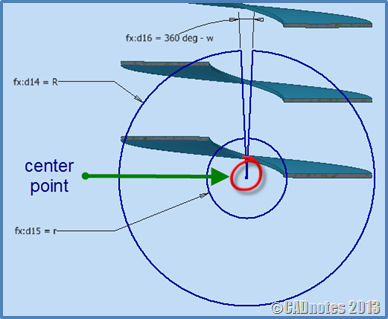
creating flat pattern Inventor

See our tip how you can create flat pattern from Continuous Spiral Flight. And furthermore, we will automate this by using iLogic!

Creating Flat Pattern Using Inventor Derive Tool

December 17, 2013 by Dwi Darsono 12 Comments

Do you want to create a sheet metal flat pattern from part with roll and dishing process? Try our workaround here!

Revit extensions: Must have tools for Revit productivity

November 20, 2013 by Edwin Prakoso 9 Comments

Do you use Revit extensions? There are so many tools available to extend your Revit capabilities, to increase your productivity. If you haven’t used it, then you should try it now!

How to pass Autodesk Professional certification

February 12, 2013 by Edwin Prakoso 24 Comments

Doing computer exercise

Do you plan to take Autodesk certification exam? Here are some tips and tricks to pass the exam. The questions are not difficult, but you need some tricks and strategy to easily pass it!

Why you should use AutoCAD blocks

January 4, 2013 by Edwin Prakoso 15 Comments

AutoCAD blocks can increase your productivity significantly. See why you should use block and optimize your blocks library to help your productivity here. Not only reduce boring repetitive tasks, it can also make your drawing smarter!

AutoCAD customization: 5 articles to learn about CUI

March 26, 2012 by Edwin Prakoso 1 Comment

AutoCAD CUI customization roundup. If you want to customize AutoCAD interface, here you can learn how you can create partial customization file, create command, working with ribbon, toolbar and menu, and more cool things!

  • « Previous Page
  • 1
  • …
  • 5
  • 6
  • 7
  • 8
  • 9
  • Next Page »

Featured

What’s new in AutoCAD: the Interface

New features roundup of AutoCAD interface for several latest releases. If you are a veteran user who use older version may find it useful.

Recent Articles

  • AI Is an Assistant, Not a Replacement
  • Open Large Revit Models Faster: Incremental Model Open
  • 10 AutoCAD Commands Only Veterans Know

Advertisement

New on CADnotes

  • AI Is an Assistant, Not a Replacement
  • Open Large Revit Models Faster: Incremental Model Open
  • 10 AutoCAD Commands Only Veterans Know
  • Is Your Revit Model Healthy?
  • Older Revit Will Lose Access to Cloud Models

Tags

360 annotation scaling AutoCAD autocad 3D AutoCAD 2011 AutoCAD 2012 AutoCAD 2013 AutoCAD 2014 AutoCAD 2015 AutoCAD 2016 AutoCAD Basic Series autocad tips AutoCAD troubleshoots AutoCAD WS Autodesk 360 autolisp block command line cui cui tutorial customization dimension dimension styles DWG dynamic block dynamic block tutorial Hatch hotfix layer macro MicroStation Basic MicroStation Tips rendering material Revit 2023 Revit Architecture Basic Revit MEP Basic Revit what's new service pack system variable template tool palettes view viewport WBWA2014 xref

Sharing is Caring

© 2009 – 2026 CADnotes · Feedback · Privacy Policy · Become an affiliate

In this Article...

×
  • Share options
  • Why share with Autodesk 360?
  • Some file sharing examples
    • File sharing
  • Issue with CAD files
  • Conclusion
→ In this article...