
Do you like what we’re doing here on CAD notes? Do you find this site is useful? Share your thoughts. And help us to improve this site further! You may tell your thoughts in one word!
Search Results for: lisp
Eleven Killer Tool palette Macros for working with AutoCAD Viewports
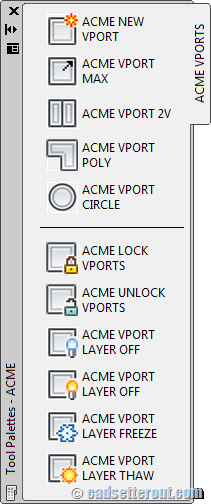
If you work with AutoCAD layout, these 11 killer macros will help you. For easier access, we put all the macros in tool palettes. A must read if you want to work with viewport faster! Another great post by Paul Munford.
Automatically execute command when open/create new file
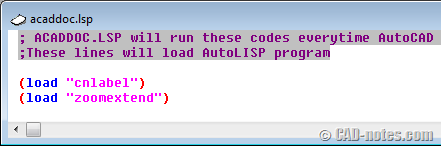
You can use acaddoc.lsp to execute commands when open/create file. Load LISP, define new command, update drawings, etc. Learn how to change how AutoCAD command works!
How to find and replace text in AutoCAD
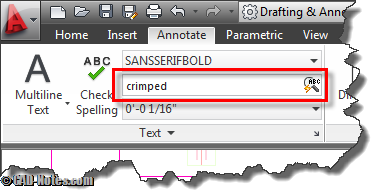
Do you know that AutoCAD has find and replace feature? You can find text in model space or layout. You can even find it in blocks or XREF!
Plugins to switch between AutoCAD drawings quickly
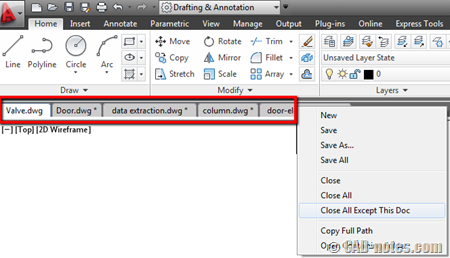
If you’re not satisfied with how AutoCAD handles switching between drawings, you can consider these add-ons/plugins. Very handy tools!
10 days to work better with AutoCAD

This is a framework, checklist that you can use to improve AutoCAD workflow. You can use it as a new user, or to improve your workflow regularly. There are 10 tasks that you can do, to review and enhance your workflow.
Task 10: Using AutoCAD Customization

The last topic on Work Better with AutoCAD. In this topic, we review some customization options. From the simplest method: modify command alias, to programming. Feel free to add some more resources to learn customization here.
Task 8: Managing Reusable Contents

In this work better with AutoCAD discussion, we discuss how you save, manage, share, and use your AutoCAD blocks. This is your last chance to win AutoCAD Block Best Practices e-book!
- « Previous Page
- 1
- …
- 7
- 8
- 9
- 10
- 11
- 12
- Next Page »


