
• Home
  • Training Books
  • Subscribe to Our Email Newsletter
  • About
    • Contributors
    • Feedback
    • Contact
    • Privacy policy
    • Cookie Policy
  • Bahasa Indonesia

CADnotes

CAD Tutorials and Best Practices for professionals and students

  • Featured
  • AutoCAD
    • AutoLISP
  • Revit
    • Revit Architecture Basic
    • Revit MEP Basic Tutorial
  • Inventor
  • MicroStation
    • MicroStation Basic Tutorial

Search Results for: lisp

Good AutoLISP Programming Techniques

May 31, 2017 by Rachid Khouri 1 Comment

Rachid Khouri shares some good tips for good AutoLISP programming.

AutoLISP: Add length annotations to objects

February 4, 2014 by Edwin Prakoso 4 Comments

measure drawing

Do you need to automatically annotate AutoCAD objects length? Measure total length/area from several objects? This AutoLISP will let you to do that quickly.

Adding AIA standard layers with LISP

September 20, 2012 by Edwin Prakoso 4 Comments

If you want to implement AIA standard layers, this is an AutoLISP that will do that. You can add hundreds of layers in few seconds!

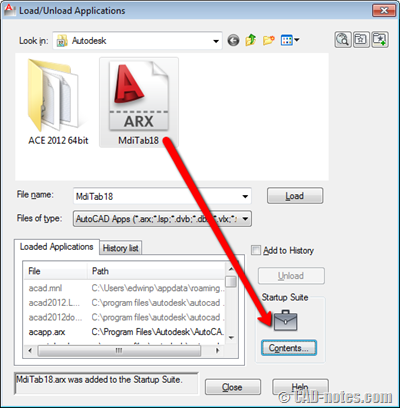
How to load AutoLISP program
October 14, 2011 by Edwin Prakoso 3 Comments

Do you want to load and use AutoLISP application? See this basic tutorial. The easiest way to do it.

Saving, using and managing your AutoLISP program

August 5, 2011 by Edwin Prakoso 2 Comments

Do you have an AutoLISP code and don’t knwo how to use it? Learn how to load it to AutoCAD and place it to ribbon/toolbar.

AutoLISP: Filter selection with selection set
July 26, 2011 by Edwin Prakoso Leave a Comment

In this AutoLISP tutorial, we cover how you can exclude other objects in our selection. We create a simple program to move all dimensions to a certain layer.

Modifying objects with AutoLISP: working with selection
June 22, 2011 by Edwin Prakoso 1 Comment

We are going to modify objects with our AutoLISP program. But you need to learn how to select objects in AutoLISP first. Read how you can use SSGET!

Creating layer and styles with AutoLISP
May 27, 2011 by Edwin Prakoso 3 Comments

In this AutoLISP tutorial, we learn how to create layers, text styles, and dimension styles.

  • 1
  • 2
  • 3
  • …
  • 12
  • Next Page »

Featured

running man

10 Features to Boost Your AutoCAD Productivity

AutoCAD is much more than just drawing lines and arcs. It has many features that can actually boost your productivity. Here, we list top 10 features that becomes our favorite.

Recent Articles

  • AI Is an Assistant, Not a Replacement
  • Open Large Revit Models Faster: Incremental Model Open
  • 10 AutoCAD Commands Only Veterans Know

Advertisement

New on CADnotes

  • AI Is an Assistant, Not a Replacement
  • Open Large Revit Models Faster: Incremental Model Open
  • 10 AutoCAD Commands Only Veterans Know
  • Is Your Revit Model Healthy?
  • Older Revit Will Lose Access to Cloud Models

Tags

360 annotation scaling AutoCAD autocad 3D AutoCAD 2011 AutoCAD 2012 AutoCAD 2013 AutoCAD 2014 AutoCAD 2015 AutoCAD 2016 AutoCAD Basic Series autocad tips AutoCAD troubleshoots AutoCAD WS Autodesk 360 autolisp block command line cui cui tutorial customization dimension dimension styles DWG dynamic block dynamic block tutorial Hatch hotfix layer macro MicroStation Basic MicroStation Tips rendering material Revit 2023 Revit Architecture Basic Revit MEP Basic Revit what's new service pack system variable template tool palettes view viewport WBWA2014 xref

Sharing is Caring

© 2009 – 2026 CADnotes · Feedback · Privacy Policy · Become an affiliate