• Home
  • Training Books
  • Subscribe to Our Email Newsletter
  • About
    • Contributors
    • Feedback
    • Contact
    • Privacy policy
    • Cookie Policy

CADnotes

CAD Tutorials and Best Practices for professionals and students

  • Featured
  • AutoCAD
    • AutoLISP
  • Revit
    • Revit Architecture Basic
    • Revit MEP Basic Tutorial
  • Inventor
  • MicroStation
    • MicroStation Basic Tutorial

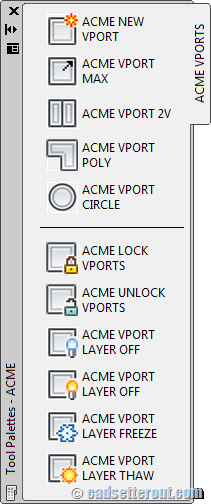
Eleven Killer Tool palette Macros for working with AutoCAD Viewports

December 20, 2011 by Paul Munford 17 Comments

If you work with AutoCAD layout, these 11 killer macros will help you. For easier access, we put all the macros in tool palettes. A must read if you want to work with viewport faster! Another great post by Paul Munford.

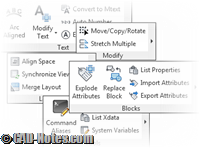
Command line only express tools: Have you used them?
December 19, 2011 by Edwin Prakoso 2 Comments

Express tools are great to help us vanilla AutoCAD users. But do you know there are hidden tools, that we only can use them by typing the command in command line?

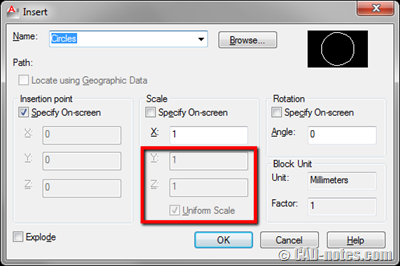
AutoCAD Block Can’t be Inserted Using Non-uniform Scale
December 15, 2011 by Edwin Prakoso 1 Comment

If you can’t disable uniform scale option when inserting AutoCAD block, this is the guide how you can fix it.

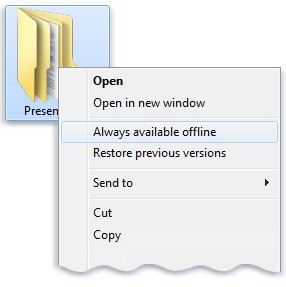
Working with shared contents: eliminating slow network performance
December 6, 2011 by Edwin Prakoso 2 Comments

If you have problem with AutoCAD shared contents because of slow network connection, try this tip: set them as offline files!

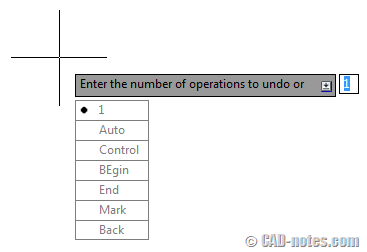
Using AutoCAD UNDO: It’s more than just one step back
December 5, 2011 by Edwin Prakoso 2 Comments

Do you know that there are more things AutoCAD UNDO command can do for you, than just one step back? See all the options it has here!

When Rotating objects, use NEWS

October 31, 2011 by Edwin Prakoso Leave a Comment

Do you know that you can use compass when you input angle in AutoCAD? Read the details here.

AutoCAD tip: renumber text automatically

October 26, 2011 by Edwin Prakoso 7 Comments

You can use TCOUNT to renumber text automatically. See the animation how it works here. But remember. If you create table, using AutoCAD table is a better option!

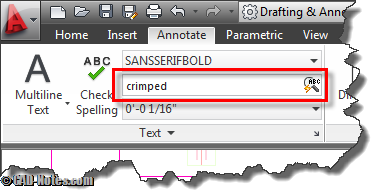
How to find and replace text in AutoCAD
October 17, 2011 by Edwin Prakoso 19 Comments

Do you know that AutoCAD has find and replace feature? You can find text in model space or layout. You can even find it in blocks or XREF!

  • « Previous Page
  • 1
  • …
  • 11
  • 12
  • 13
  • 14
  • Next Page »

Featured

Autodesk Construction Cloud Evolution

Autodesk Construction Cloud (ACC) represents the evolution of Autodesk’s CDE, from the fragmented BIM 360 Classic, through BIM 360 Next Gen with centralized file storage, to the fully integrated Unified Platform. Read the Autodesk Construction Cloud evolution in this post!

Recent Articles

  • BIM is Useful, Until It’s Not
  • AI-Powered Rendering Now Available in Forma Board
  • Autodesk Forma Is Not The New Name For ACC

Advertisement

New on CADnotes

  • BIM is Useful, Until It’s Not
  • AI-Powered Rendering Now Available in Forma Board
  • Autodesk Forma Is Not The New Name For ACC
  • Placing Views on Sheet Efficiently with Saved Position
  • Autodesk Forma: One Platform to Rule the AEC Lifecycle

Meet the Authors

avatar for
avatar for
avatar for
avatar for
avatar for
avatar for

Get Connected

CADnotes on FacebookCADnotes on InstagramCADnotes on TwitterCADnotes on YouTube

© 2009 – 2026 CADnotes · Feedback · Privacy Policy · Become an affiliate