• Home
  • Training Books
  • Subscribe to Our Email Newsletter
  • About
    • Contributors
    • Feedback
    • Contact
    • Privacy policy
    • Cookie Policy

CADnotes

CAD Tutorials and Best Practices for professionals and students

  • Featured
  • AutoCAD
    • AutoLISP
  • Revit
    • Revit Architecture Basic
    • Revit MEP Basic Tutorial
  • Inventor
  • MicroStation
    • MicroStation Basic Tutorial

How to create classic workspace in AutoCAD

April 6, 2014 by Edwin Prakoso 16 Comments

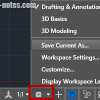
save AutoCAD workspace

Do you know that AutoCAD 2015 doesn’t have classic workspace? Don’t worry, you still can create it and use toolbar. Read how to create it here.

What’s new in AutoCAD 2015: the interface

April 2, 2014 by Edwin Prakoso 9 Comments

AutoCAD 2015 splash screen

Let’s explore what are new in AutoCAD 2015. This first post will cover about the interface enhancements.

  • « Previous Page
  • 1
  • 2

Featured

3 Things Orient to View in Revit can do for you

Revit orent to view tool might be overlooked. But it can be very helpful to help you work with large and complex models. Here are 3 benefits that you can get right now.

Recent Articles

  • AI-Powered Rendering Now Available in Forma Board
  • Autodesk Forma Is Not The New Name For ACC
  • Placing Views on Sheet Efficiently with Saved Position

Advertisement

New on CADnotes

  • AI-Powered Rendering Now Available in Forma Board
  • Autodesk Forma Is Not The New Name For ACC
  • Placing Views on Sheet Efficiently with Saved Position
  • Autodesk Forma: One Platform to Rule the AEC Lifecycle
  • Accessing Autodesk Docs Files from Windows Explorer

Meet the Authors

avatar for
avatar for
avatar for
avatar for
avatar for
avatar for

Get Connected

CADnotes on FacebookCADnotes on InstagramCADnotes on TwitterCADnotes on YouTube

© 2009 – 2026 CADnotes · Feedback · Privacy Policy · Become an affiliate