Revit does a lot out of the box, but still miss a lot of things.
Some tasks stay manual. Renaming fifty views. Making sheets one by one. Aligning views across sheets. You can do them, but they can take all day.
This is where plugins help. Many good ones cost money. Some don’t.
In this series, I’ll share 10 free Revit plugins that I think are worth your time. Not modeling tools. Productivity tools, the kind that remove clicks you repeat every week.

Part 1 covers three plugins that belong together: pyRevit, EF-Tools and pyChilizer. The last two are pyRevit extensions, so pyRevit comes first.
1. pyRevit
pyRevit is a free, open-source add-in that adds a full pyRevit tab to Revit. Hundreds of small tools that helps your productivity.
Revit has no batch tools for many daily chores. pyRevit provides a lot of them.
A few you should try:
- Batch Sheet Maker: create many sheets at once from a list.
- Rename Selected Views and Rename Selected Sheets: rename in bulk with find and replace.
- Find Views Showing Selected Element and Find Sheets Showing Selected Element: answer the question “where else is this shown?”
- Print Sheets: print or export sheets in the order of a sheet list.
- Highlight 2D
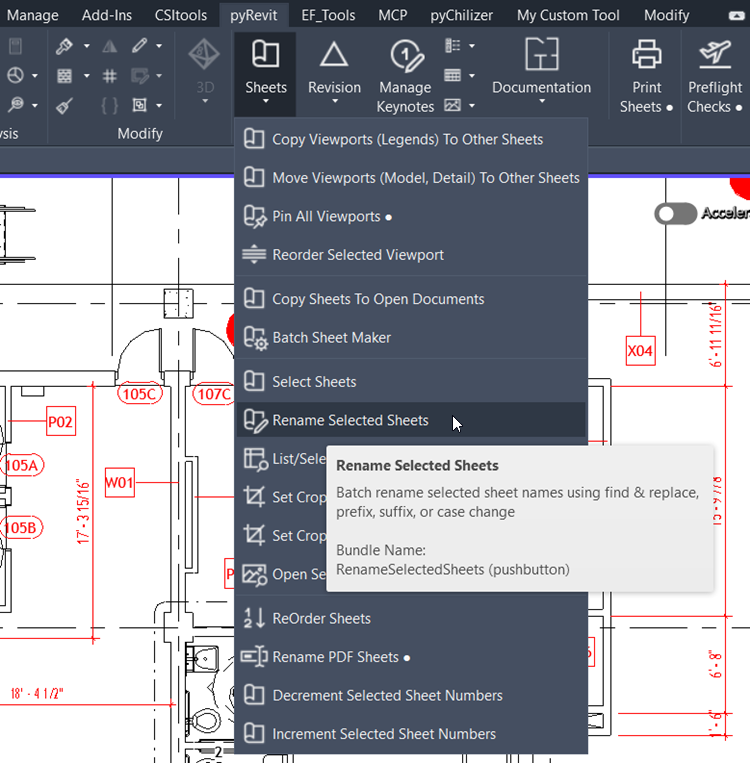
You can download the installer from the pyRevit website or the GitHub releases page.
2. EF-Tools
Some chores pyRevit doesn’t cover. Converting rooms to floors. Aligning viewports across sheets. Cleaning up view filters nobody uses.
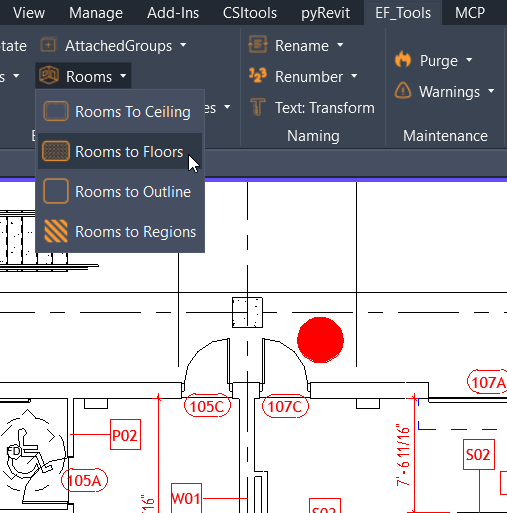
EF-Tools is a free pyRevit extension by Erik Frits. It adds an EF-Tools tab with more than 50 tools. Useful ones:
- Rooms to Floors, Rooms to Ceilings and Rooms to Regions: create elements from room boundaries.
- Align Viewports: line up views on different sheets.
- Find and Replace for views, sheets, materials, types and room names.
- Purge View Filters and Purge View Templates: remove unused ones.
- Display Warnings and Isolate Warnings: see which elements cause warnings.
You can install it directly from pyRevit, go to pyRevit > Extensions, select EF-Tools, then click Install. Reload pyRevit if necessary.
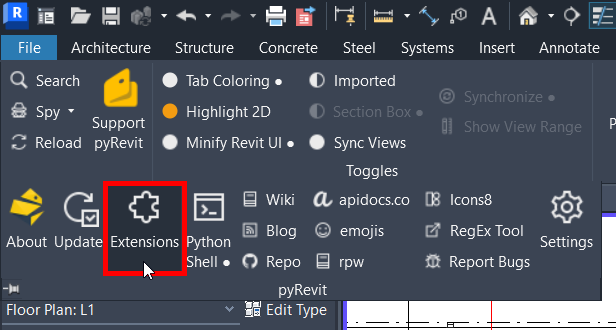
Details are on the EF-Tools GitHub page.
The documentation says the tools were mainly developed in Revit 2019 to 2023. But it still works on Revit 2027. Test it in your Revit version before you rely on it.
3. pyChilizer
Room-based documentation. Plans, elevations and data sheets for every room take hours.
pyChilizer is a free pyRevit extension by Archilizer. It focuses on the boring parts of drafting.
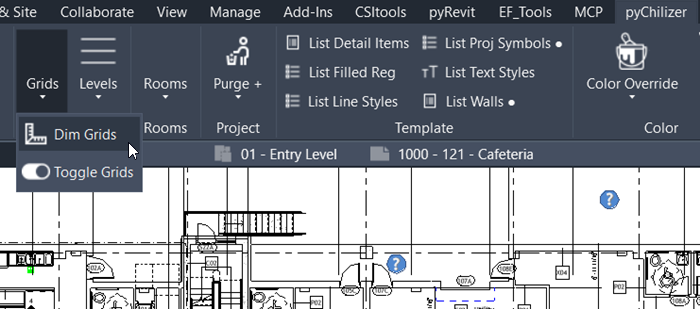
You might want to try:
- Room Plan View, Room Elevations and Room Data Sheets: create views and sheets per room.
- Colorize by Value and Colour by Type: quick color overrides to check your model visually.
- Purge+: delete unplaced rooms, unplaced views, unused scope boxes, imported DWG patterns and more.
- Legend by Filters and Legend by Excel: build legends instead of drawing them.
- Grid dimensioning.
Install: in Revit, go to pyRevit > Extensions, select pyChilizer, then click Install.
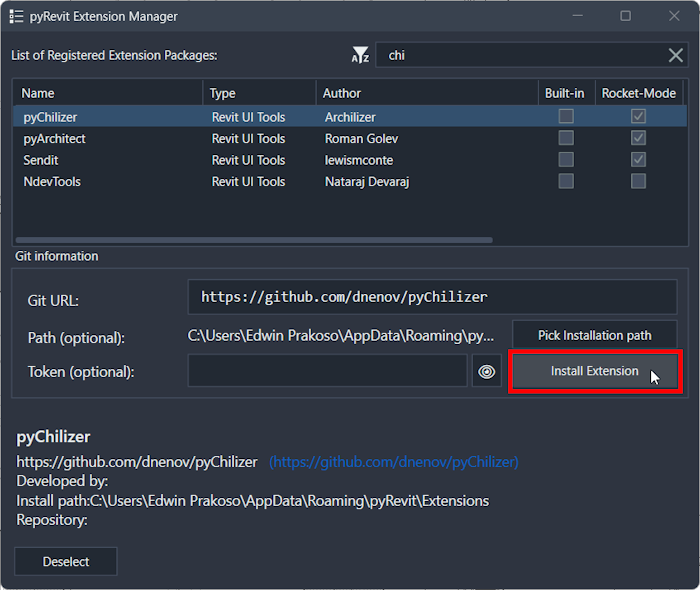
See the pyChilizer GitHub page for details.
Before You Try the Plugins
Test new tools on a copy of the model, not the live central file. Start with pyRevit first. When you feel the default tools are not enough, add an extension when you need more tools. EF-Tools and pyChilizer have a wide range of tools that you can use. Explore the extension packages to find more gems in the library.
Have you used pyRevit? Which pyRevit tool do you use the most?
