
• Home
  • About
    • Contributors
    • Feedback
    • Contact
    • Privacy policy
    • Cookie Policy

CADnotes

CAD Tutorials and Best Practices for professionals and students

  • Featured
  • AutoCAD
    • AutoLISP
  • Revit
    • Revit Architecture Basic
    • Revit MEP Basic Tutorial
  • Inventor
  • MicroStation
    • MicroStation Basic Tutorial

Using Mouse and Controlling View

October 27, 2009 by Edwin Prakoso 6 Comments

You’ve introduced to MicroStation.You are also learned about MicroStation workspace and how DGN files work. Now we will learn how you can use mouse and navigate the view. Mouse as a pointing device has become indispensable in all design applications, including MicroStation. Each applications may have unique function on mouse buttons. We will discuss about […]

Working With Workspace and Design Files

October 19, 2009 by Edwin Prakoso 9 Comments

In the last tutorial, you’ve been introduced to MicroStation. In this tutorial, we will start working with workspace and design files. When you start a Windows application, most of them will create and open a new file. But not here. MicroStation have two types of file: 2D DGN and 3D DGN. DGN is stand for […]

Introduction to MicroStation
October 13, 2009 by Edwin Prakoso 25 Comments

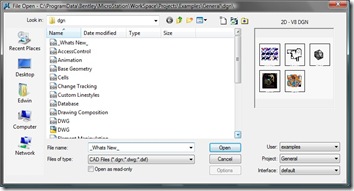
I wrote this tutorial years ago, while I still working in a Bentley reseller. I wrote it in Indonesian, when it’s still V8XM. I decided to rewrite it in English, and update some screenshot with V8i. Thanks for my partner, I can get 30 days trial to do so. I know there are not many […]

  • « Previous Page
  • 1
  • …
  • 5
  • 6
  • 7

Featured

What’s New in Revit 2023 part 5: Documentation

let’s see the new features in annotation tools. Some interesting and useful enhancements can help with our documentation productivity.

Recent Articles

  • 10 Free Revit Plugins to Boost Your Productivity (Part 1)
  • AI Is an Assistant, Not a Replacement
  • Open Large Revit Models Faster: Incremental Model Open

Advertisement

New on CADnotes

  • 10 Free Revit Plugins to Boost Your Productivity (Part 1)
  • AI Is an Assistant, Not a Replacement
  • Open Large Revit Models Faster: Incremental Model Open
  • 10 AutoCAD Commands Only Veterans Know
  • Is Your Revit Model Healthy?

Tags

360 annotation scaling AutoCAD autocad 3D AutoCAD 2011 AutoCAD 2012 AutoCAD 2013 AutoCAD 2014 AutoCAD 2015 AutoCAD 2016 AutoCAD Basic Series autocad tips AutoCAD troubleshoots AutoCAD WS autolisp block command line cui cui tutorial customization dimension dimension styles DWG dynamic block dynamic block tutorial Hatch hotfix layer macro MicroStation Basic MicroStation Tips rendering material Revit 2023 Revit Architecture Basic Revit MEP Basic Revit what's new service pack system variable template title block tool palettes view viewport WBWA2014 xref

Sharing is Caring

© 2009 – 2026 CADnotes · Feedback · Privacy Policy · Become an affiliate