• Home
  • Training Books
  • Subscribe to Our Email Newsletter
  • About
    • Contributors
    • Feedback
    • Contact
    • Privacy policy
    • Cookie Policy
  • Bahasa Indonesia

CADnotes

CAD Tutorials and Best Practices for professionals and students

  • Featured
  • AutoCAD
    • AutoLISP
  • Revit
    • Revit Architecture Basic
    • Revit MEP Basic Tutorial
  • Inventor
  • MicroStation
    • MicroStation Basic Tutorial

30 Tips and Tricks to Work Better with Revit
May 28, 2020 by Edwin Prakoso 5 Comments

Revit is pretty straightforward to use. But it doesn’t mean that we can’t find something new to increase our productivity. Either you are new to Revit, or already use it for years, there are always new things we can learn!

What’s New in Revit 2021 – Part 3: Structure
April 13, 2020 by Edwin Prakoso Leave a Comment

See what’s new in Revit 2021 in structural discipline. We have some exciting enhancements in this area!

What’s New in Revit 2021 – part 2: Architecture

April 11, 2020 by Edwin Prakoso Leave a Comment

See what’s new in Revit 2021 for architectural discipline. There is a long-waited feature: the slanted wall! What else?

What’s New in Revit 2021 – part 1: General Enhancements

April 9, 2020 by Edwin Prakoso Leave a Comment

Revit 2021 has been released! See what’s new in part 1. More to come!

What’s New in AutoCAD 2021?
March 30, 2020 by Edwin Prakoso 7 Comments

Autodesk released AutoCAD 2021. What’s new? Is there something that you expected? Find out here.

Revit Tips: Optimizing Keyboard Shortcut

March 23, 2020 by Edwin Prakoso Leave a Comment

keyboard shortcuts

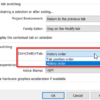
Using Revit Shortcuts will help you to work faster. You can also change the shortcuts to fit your preference.

Autodesk Multi-User Licenses Retirement is Moved to August

March 19, 2020 by Edwin Prakoso Leave a Comment

Autodesk decided to move the multi-user retirement to August 2021 because of Corona pandemi.

Revit Tip: Using Spacebar to Rotate Elements

March 18, 2020 by Edwin Prakoso Leave a Comment

keyboard shortcuts

You can use spacebar to rotate elements during and after placement in Revit. Learn how it works and the benefits.

  • « Previous Page
  • 1
  • …
  • 10
  • 11
  • 12
  • 13
  • 14
  • …
  • 105
  • Next Page »

Featured

10 Revit Hacks to Make Your Revit View Compelling

These simple hacks can make your Revit views artistic and compelling. Without having to spend hours to render the views!

Recent Articles

  • BIM Doesn’t Fix Your Problems
  • BIM is Useful, Until It’s Not
  • AI-Powered Rendering Now Available in Forma Board

Advertisement

New on CADnotes

  • BIM Doesn’t Fix Your Problems
  • BIM is Useful, Until It’s Not
  • AI-Powered Rendering Now Available in Forma Board
  • Autodesk Forma Is Not The New Name For ACC
  • Placing Views on Sheet Efficiently with Saved Position

Meet the Authors

avatar for
avatar for
avatar for
avatar for
avatar for
avatar for

Get Connected

CADnotes on FacebookCADnotes on InstagramCADnotes on TwitterCADnotes on YouTube

© 2009 – 2026 CADnotes · Feedback · Privacy Policy · Become an affiliate