• Home
  • Training Books
  • Subscribe to Our Email Newsletter
  • About
    • Contributors
    • Feedback
    • Contact
    • Privacy policy
    • Cookie Policy
  • Bahasa Indonesia

CADnotes

CAD Tutorials and Best Practices for professionals and students

  • Featured
  • AutoCAD
    • AutoLISP
  • Revit
    • Revit Architecture Basic
    • Revit MEP Basic Tutorial
  • Inventor
  • MicroStation
    • MicroStation Basic Tutorial

Autodesk Multi-user Cloud Benefits Assignment

March 11, 2019 by Edwin Prakoso Leave a Comment

How many users can you assign to use Autodesk cloud services when you have a multi-user license? If you purchase 20 licenses, can you assign the services to 100 users?

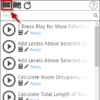
Using the Dynamo Player
February 26, 2019 by Edwin Prakoso Leave a Comment

In this tutorial, you will learn how to prepare nodes in a Dynamo script for input in Dynamo Player. Then how to run the script on Dynamo Player.

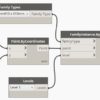
Placing an Element using Dynamo
February 13, 2019 by Edwin Prakoso 2 Comments

The Dynamo tutorial continues. We are going to complete the program to place an element at a specific coordinate and at a particular level.

Part 1: Introduction to Dynamo
February 6, 2019 by Edwin Prakoso Leave a Comment

This is the introduction to Dynamo to increase your productivity in Revit. There are more tutorials to come!

How to rotate Revit Views
January 7, 2019 by Edwin Prakoso 4 Comments

You can rotate a particular Revit view to help you working on a site plan. It helps when the plan is not parallel to your view!

AutoCAD and AutoCAD LT 32-Bit Discontinuation

December 19, 2018 by Edwin Prakoso 2 Comments

Autodesk finally stops providing support for AutoCAD 32-Bit.

How to Create a Table in Revit

November 20, 2018 by Edwin Prakoso 11 Comments

Revit doesn’t have a table as annotation tool. There are workarounds like creating it in AutoCAD or create text and detail lines. Me? I prefer this method.

Top 10 Memes for CAD Users

October 9, 2018 by Edwin Prakoso 7 Comments

People are going crazy about internet meme. There are some websites and social media accounts that are dedicated to sharing meme. This time I share some popular meme for CAD users. I hope you like it. Enjoy!

  • « Previous Page
  • 1
  • …
  • 12
  • 13
  • 14
  • 15
  • 16
  • …
  • 105
  • Next Page »

Featured

Work Better with AutoCAD | challenge 7: Evaluate your progress

You have completed 6 challenges to work better with AutoCAD. Now it’s time to evaluate your progress after completing the challenges. Is there are any area that you can improve?

Recent Articles

  • BIM Doesn’t Fix Your Problems
  • BIM is Useful, Until It’s Not
  • AI-Powered Rendering Now Available in Forma Board

Advertisement

New on CADnotes

  • BIM Doesn’t Fix Your Problems
  • BIM is Useful, Until It’s Not
  • AI-Powered Rendering Now Available in Forma Board
  • Autodesk Forma Is Not The New Name For ACC
  • Placing Views on Sheet Efficiently with Saved Position

Meet the Authors

avatar for
avatar for
avatar for
avatar for
avatar for
avatar for

Get Connected

CADnotes on FacebookCADnotes on InstagramCADnotes on TwitterCADnotes on YouTube

© 2009 – 2026 CADnotes · Feedback · Privacy Policy · Become an affiliate