One of the most common misconceptions about BIM is that implementing BIM will automatically solve project problems.
It won’t.
BIM is not a magic solution. It doesn’t eliminate design conflicts, reduce delays, improve coordination, or lower costs by itself. What BIM does provide is better information, visibility, and insight. But none of these solve the problem on their own. People solve problems. BIM helps people make better decisions.
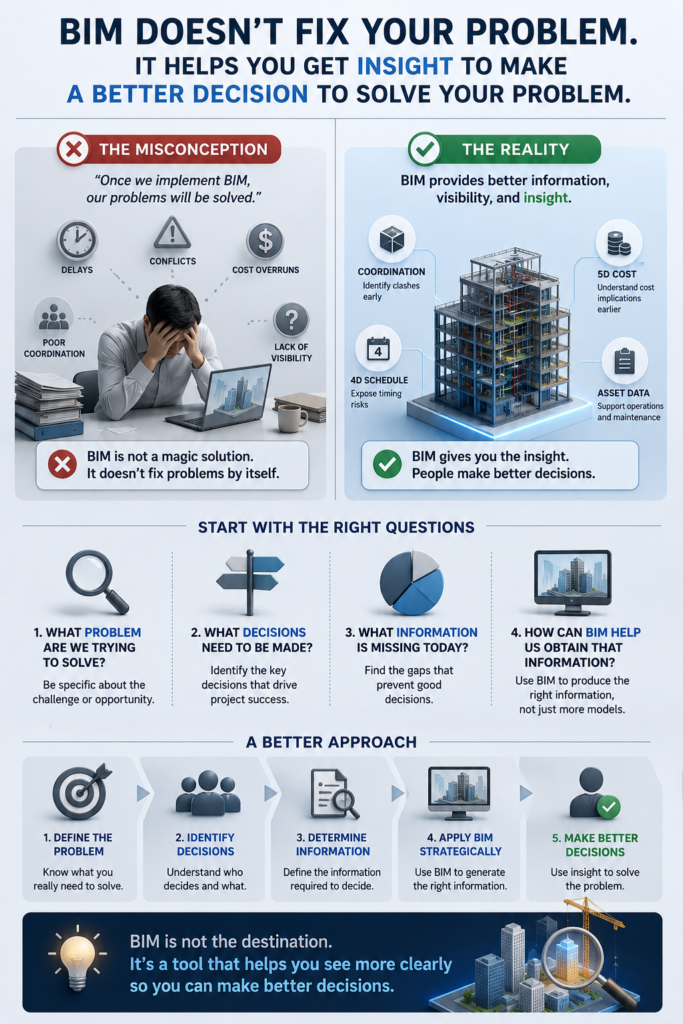
Before asking, “How do we implement BIM?” it may be more valuable to ask:
- What problem are we trying to solve?
- What decisions need to be made?
- What information is missing today?
- How can BIM help us obtain that information?
When BIM initiatives fail to deliver value, it’s often because the focus is on creating models and fulfilling requirements rather than solving business problems.
Start with the problem.
Then identify the decisions that need to be made.
Then determine the information required to support those decisions.
BIM is not the destination. It’s a tool that helps you see more clearly so you can make better decisions.


