
• Home
  • Training Books
  • Subscribe to Our Email Newsletter
  • About
    • Contributors
    • Feedback
    • Contact
    • Privacy policy
    • Cookie Policy
  • Bahasa Indonesia

CADnotes

CAD Tutorials and Best Practices for professionals and students

  • Featured
  • AutoCAD
    • AutoLISP
  • Revit
    • Revit Architecture Basic
    • Revit MEP Basic Tutorial
  • Inventor
  • MicroStation
    • MicroStation Basic Tutorial

Revit Tip: Using Spacebar to Rotate Elements

March 18, 2020 by Edwin Prakoso Leave a Comment

keyboard shortcuts

You can use spacebar to rotate elements during and after placement in Revit. Learn how it works and the benefits.

Using Artistic Fonts for Your Revit Annotations
January 9, 2020 by Edwin Prakoso Leave a Comment

In this first Revit presentation hack, you will learn how to use an artistic font type.

Revit Tips: Providing Input Units and Calculation
December 11, 2019 by Edwin Prakoso Leave a Comment

You can work with different units in Revit by defining the unit in the suffix.

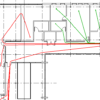
Revit Travel Path Analysis
September 23, 2019 by Edwin Prakoso Leave a Comment

If you need to analyze the minimum distance between two points in your building, now you can do it in Revit 2020!

A360 Drive is no longer available for free

September 12, 2019 by Edwin Prakoso Leave a Comment

Autodesk stop providing A360 storage for free. Read the announcement here.

Unable to Modify Parameters in Revit 2020 Steel Connection
July 30, 2019 by Edwin Prakoso Leave a Comment

Modify parameter tool is greyed

Learn about the steel connection parameters changes in Revit 2020. Now they are type parameters, so you can’t modify it as an instance. But there are benefits that you can use with this new behavior!

AutoCAD 2020: What’s New?

April 17, 2019 by Edwin Prakoso 12 Comments

See the new features on AutoCAD 2020. The enhanced purge tool, block palette, measure tool, and more!

AutoCAD Toolsets Tutorial – Get the Best of your Toolsets!

March 21, 2019 by Edwin Prakoso 4 Comments

Autodesk released AutoCAD 2019 with seven toolsets. They are good software and can help your design process. But where can you can find the tutorials? It is a big step if you only use AutoCAD before!

  • « Previous Page
  • 1
  • …
  • 11
  • 12
  • 13
  • 14
  • 15
  • …
  • 105
  • Next Page »

Featured

What’s new in AutoCAD: Block and References

AutoCAD new features roundup in several last versions. In this post we will see what’s new in blocks and references.

Recent Articles

  • Automation is not AI
  • BIM Doesn’t Fix Your Problems
  • BIM is Useful, Until It’s Not

Advertisement

New on CADnotes

  • Automation is not AI
  • BIM Doesn’t Fix Your Problems
  • BIM is Useful, Until It’s Not
  • AI-Powered Rendering Now Available in Forma Board
  • Autodesk Forma Is Not The New Name For ACC

Meet the Authors

avatar for
avatar for
avatar for
avatar for
avatar for
avatar for

Get Connected

CADnotes on FacebookCADnotes on InstagramCADnotes on TwitterCADnotes on YouTube

© 2009 – 2026 CADnotes · Feedback · Privacy Policy · Become an affiliate