• Home
  • Training Books
  • Subscribe to Our Email Newsletter
  • About
    • Contributors
    • Feedback
    • Contact
    • Privacy policy
    • Cookie Policy
  • Bahasa Indonesia

CADnotes

CAD Tutorials and Best Practices for professionals and students

  • Featured
  • AutoCAD
    • AutoLISP
  • Revit
    • Revit Architecture Basic
    • Revit MEP Basic Tutorial
  • Inventor
  • MicroStation
    • MicroStation Basic Tutorial

Revit Architecture User Interface

June 14, 2009 by Edwin Prakoso 13 Comments

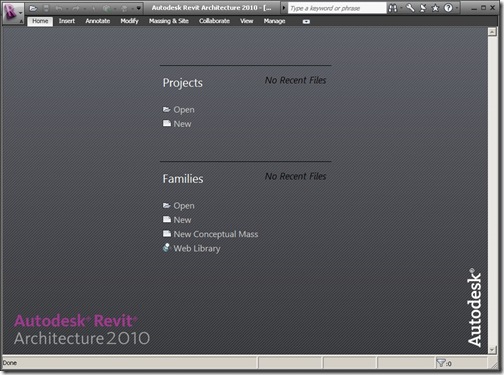
This is the second of Revit tutorial series on CAD Notes. If you new to Revit, you might want to see the first tutorial: introduction to Revit Architecture. I believe that first thing you should getting familiar with, when learning Revit is the interface. Sure, all Windows compliant software might look and taste the same. […]

Introduction to Revit Architecture
June 11, 2009 by Edwin Prakoso 31 Comments

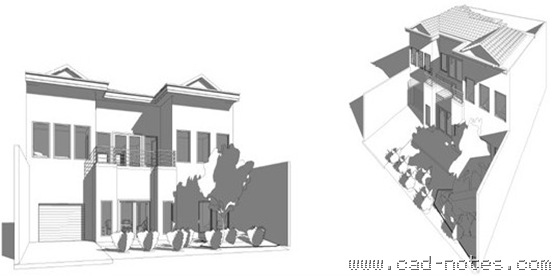
Learn Revit Architecture from basic, let’s start with introduction to Revit Architecture

Optimize Your Palette Placement
June 10, 2009 by Edwin Prakoso 4 Comments

Do you feel that the AutoCAD palettes are taking too much space? You can optimize the placement to save your desktop real estate!

AutoCAD File Dialog Box is Missing
June 8, 2009 by Edwin Prakoso 3 Comments

When you try to save or open an AutoCAD drawing, you don’t see the file dialog box. Only commands on command line or dynamic input. What is wrong?

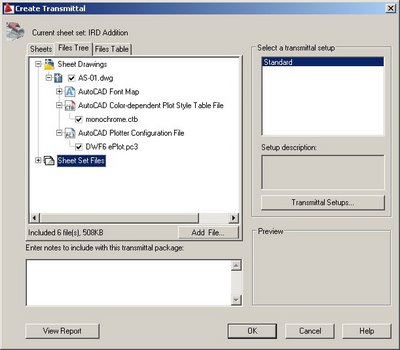
Pack Your Files With eTransmit
June 8, 2009 by Edwin Prakoso 2 Comments

Do you often need to send your AutoCAD drawing files? Sometimes you left your reference file behind? Sometimes I receive an AutoCAD file that referenced to other file, but they didn’t send the reference file. Or they burnt all the files in to a cd, but the reference paths are broken. Not to mention other […]

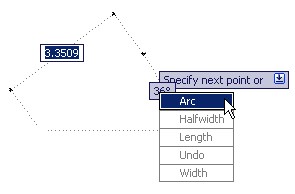
4 Reasons to Love AutoCAD Dynamic Input
June 5, 2009 by Edwin Prakoso 4 Comments

Don’t like AutoCAD Dynamic Input? There are some advantages of using it. You may love it after you know them!

Using AutoCAD LAYWALK to Check Objects Layers

June 4, 2009 by Edwin Prakoso 2 Comments

Working with many AutoCAD layers? Need to check if your objects are placed in correct layer quickly? With Layer Walk you can do it visually, quickly.

AutoCAD Match Properties Settings

June 3, 2009 by Edwin Prakoso 5 Comments

Do you know that you can match selective properties in AutoCAD drawings? MATCHPROP is not only to match all properties, you can selectively select the properties to match!

  • « Previous Page
  • 1
  • …
  • 102
  • 103
  • 104
  • 105
  • Next Page »

Featured

Autodesk Construction Cloud Evolution

Autodesk Construction Cloud (ACC) represents the evolution of Autodesk’s CDE, from the fragmented BIM 360 Classic, through BIM 360 Next Gen with centralized file storage, to the fully integrated Unified Platform. Read the Autodesk Construction Cloud evolution in this post!

Recent Articles

  • BIM is Useful, Until It’s Not
  • AI-Powered Rendering Now Available in Forma Board
  • Autodesk Forma Is Not The New Name For ACC

Advertisement

New on CADnotes

  • BIM is Useful, Until It’s Not
  • AI-Powered Rendering Now Available in Forma Board
  • Autodesk Forma Is Not The New Name For ACC
  • Placing Views on Sheet Efficiently with Saved Position
  • Autodesk Forma: One Platform to Rule the AEC Lifecycle

Meet the Authors

avatar for
avatar for
avatar for
avatar for
avatar for
avatar for

Get Connected

CADnotes on FacebookCADnotes on InstagramCADnotes on TwitterCADnotes on YouTube

© 2009 – 2026 CADnotes · Feedback · Privacy Policy · Become an affiliate