• Home
  • Training Books
  • Subscribe to Our Email Newsletter
  • About
    • Contributors
    • Feedback
    • Contact
    • Privacy policy
    • Cookie Policy
  • Bahasa Indonesia

CADnotes

CAD Tutorials and Best Practices for professionals and students

  • Featured
  • AutoCAD
    • AutoLISP
  • Revit
    • Revit Architecture Basic
    • Revit MEP Basic Tutorial
  • Inventor
  • MicroStation
    • MicroStation Basic Tutorial

Enable Object Snap to Hatch

July 2, 2009 by Edwin Prakoso 6 Comments

Do you need to snap to hatch objects? You can do it, but need to change an option first.

Revit Tutorial: Placing Doors and Windows
June 29, 2009 by Edwin Prakoso Leave a Comment

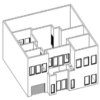
From the Revit Architecture tutorial series, in this step, you will place the doors and windows.

Create a Report Table with Data Extraction
June 28, 2009 by Edwin Prakoso 7 Comments

Have you use AutoCAD data extraction? You can extract any properties from any objects in your AutoCAD drawings with data extraction. I believe some of you have seen a nice demo from Autodesk about this. They use a data set to create door schedule from a drawing. It count the number of door blocks, and […]

10 Features to Boost Your AutoCAD Productivity

June 24, 2009 by Edwin Prakoso 5 Comments

running man

AutoCAD is much more than just drawing lines and arcs. It has many features that can actually boost your productivity. Here, we list top 10 features that becomes our favorite.

Finishing Your Walls
June 22, 2009 by Edwin Prakoso 2 Comments

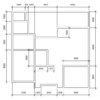
From the Revit Architecture tutorial series, in this step, you will create the interior walls.

Placing Exterior Walls
June 19, 2009 by Edwin Prakoso 2 Comments

We have created new levels in our Revit project. Now we are going to place walls. Let’s start from exterior walls. If you are new to this site, you can see the Revit tutorial contents list here. Open 1st Floor View. Double click 1st Floor under floor plan views, in project browser. You will see an […]

Defining Levels

June 17, 2009 by Edwin Prakoso 11 Comments

In this Revit Architecture tutorial, we define levels and edit the level name.

Understanding Views and View Navigation

June 17, 2009 by Edwin Prakoso 10 Comments

Your design in this Revit Architecture tutorial

In this Revit Architecture tutorial, we learn how to work with views and working with view navigations.

  • « Previous Page
  • 1
  • …
  • 101
  • 102
  • 103
  • 104
  • 105
  • Next Page »

Featured

6 SHIFT Key Combination You Might Not Know

AutoCAD has several key combinations that will help you to access more options/tools easily. This article has 6 shift key combinations that you can use!

Recent Articles

  • BIM is Useful, Until It’s Not
  • AI-Powered Rendering Now Available in Forma Board
  • Autodesk Forma Is Not The New Name For ACC

Advertisement

New on CADnotes

  • BIM is Useful, Until It’s Not
  • AI-Powered Rendering Now Available in Forma Board
  • Autodesk Forma Is Not The New Name For ACC
  • Placing Views on Sheet Efficiently with Saved Position
  • Autodesk Forma: One Platform to Rule the AEC Lifecycle

Meet the Authors

avatar for
avatar for
avatar for
avatar for
avatar for
avatar for

Get Connected

CADnotes on FacebookCADnotes on InstagramCADnotes on TwitterCADnotes on YouTube

© 2009 – 2026 CADnotes · Feedback · Privacy Policy · Become an affiliate