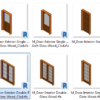
You can update the Revit Families thumbnail to allow you choose a particular family easier. It also makes the thumbnail more attractive. See how it works manually and how you can do it with this add-in.
How to Show 1-Line and 2-Lines Pipes in One Revit MEP Drawing
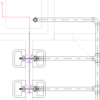
This is the workaround to show both 1-line pipe and 2-line pipes in one Revit drawing. Now you can show small pipes as 1-line and larger pipes as 2-lines in a drawing!
Examining and Analyzing the MEP Model
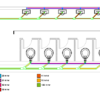
Revit has several tools to check your model easier. You can easily find disconnects, check the flow, pipe pressure loss, and check it by a color scheme. The tools are very easy to use but give significant help. Let’s use the tools!
Revit MEP Basic: Creating Electrical System
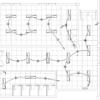
In this tutorial, we cover how to create switch and power system, draw arc wire then create panel schedule. We also cover a bit about panel schedule.
Revit MEP Basic: Placing Lighting Fixtures and Equipment
In this Revit MEP Basic Tutorial, you can learn how to place lighting fixtures, switches, and a panel. This is the first part of the electrical tutorial.
How to: Selectively Select Objects in Revit
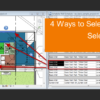
Revit model usually is not as complicated as an AutoCAD drawing. You can select objects easier before you modify it. However, in a complex model, you need a method to select multiple objects faster. You want to select them based on specific properties. For example, you want to select all walls with a specific type. Or you want to select all walls with a specific function.
We cover different methods in this article that you can use.
Revit MEP Basic: Heating and Cooling Load Calculation
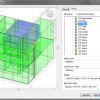
In this Revit MEP basic tutorial, we cover how to do the Heating and Cooling Load calculation. How you can setup the parameters and check for warnings, then run the calculation.
Revit MEP tutorial: Working with Zones
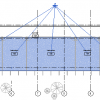
In this tutorial, you learn how to group common spaces into a zone. And why we need to create zones.
- « Previous Page
- 1
- …
- 8
- 9
- 10
- 11
- 12
- …
- 28
- Next Page »


