• Home
  • Training Books
  • Subscribe to Our Email Newsletter
  • About
    • Contributors
    • Feedback
    • Contact
    • Privacy policy
    • Cookie Policy
  • Bahasa Indonesia

CADnotes

CAD Tutorials and Best Practices for professionals and students

  • Featured
  • AutoCAD
    • AutoLISP
  • Revit
    • Revit Architecture Basic
    • Revit MEP Basic Tutorial
  • Inventor
  • MicroStation
    • MicroStation Basic Tutorial

10 Revit Hacks to Make Your Revit View Compelling

August 16, 2017 by Edwin Prakoso 4 Comments

These simple hacks can make your Revit views artistic and compelling. Without having to spend hours to render the views!

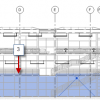
Revit MEP Basic: Adding Spaces to Plenum and Other Areas
August 4, 2017 by Edwin Prakoso 3 Comments

We covered how to work with spaces. However, there are “rooms” that are not considered in the architecture models. Like elevator and plumbing shaft, plenum (the area above the ceiling), void, and other areas that might not be considered in architecture models. Reviewing the Model Let’s review our model. Create a section like below. Use […]

Autodesk Products Incompatibility Issue with .NET 4.7

July 20, 2017 by Edwin Prakoso 2 Comments

Microsoft .NET 4.7 are incompatible with Autodesk products. You may not be able to use AutoCAD or other products after the automatic update installation. Find the solution here!

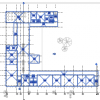
Revit MEP Tutorial: Working with Copy/Monitor Tools
June 29, 2017 by Edwin Prakoso Leave a Comment

In this Revit MEP tutorial, you will learn how to review warnings and create relationships between elements in a linked file. It can help you to monitor the changes for coordination purpose.

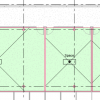
Revit MEP Tutorial: Working with Spaces
June 22, 2017 by Edwin Prakoso 2 Comments

In this Revit MEP tutorial, you will learn how to create a space, create automatic spaces, and rename the spaces with Space Naming tool.

Stair by Sketch in Revit 2018
June 6, 2017 by Edwin Prakoso 3 Comments

The Stair by Sketch icon is no longer available in Revit 2018. But you still can create a stair by drawing sketch. Read how to do it here.

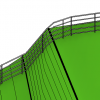
Revit 2018: Railing improvements
May 19, 2017 by Edwin Prakoso Leave a Comment

Revit 2018 has some nice enhancements in the railing feature. The enhancements make working with railing more fun!

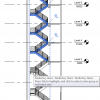
Revit 2018: Multistory Stairs
May 10, 2017 by Edwin Prakoso 1 Comment

Learn how you can use the new Revit 2018 multistory stair. It is much easier than in the previous version!

  • « Previous Page
  • 1
  • …
  • 9
  • 10
  • 11
  • 12
  • 13
  • …
  • 28
  • Next Page »

Featured

6 Things AutoCAD Command Line Can Do for You (Infographics)

AutoCAD Command Line is the most important feature in AutoCAD. Veteran users can use two hands (one on the keyboard and the other using mouse) and draw very quickly. It is faster than relying on the GUI only.

The new users probably using GUI more than older users like me. They prefer the Ribbon and use the Command Line less. 

In this post, you can see 6 things AutoCAD Command Line can do to make your life easier. You don’t have to use them all, but at least you know it can be done. If you think it’s good, use it. But if you don’t like it, leave it.

Recent Articles

  • BIM Doesn’t Fix Your Problems
  • BIM is Useful, Until It’s Not
  • AI-Powered Rendering Now Available in Forma Board

Advertisement

New on CADnotes

  • BIM Doesn’t Fix Your Problems
  • BIM is Useful, Until It’s Not
  • AI-Powered Rendering Now Available in Forma Board
  • Autodesk Forma Is Not The New Name For ACC
  • Placing Views on Sheet Efficiently with Saved Position

Meet the Authors

avatar for
avatar for
avatar for
avatar for
avatar for
avatar for

Get Connected

CADnotes on FacebookCADnotes on InstagramCADnotes on TwitterCADnotes on YouTube

© 2009 – 2026 CADnotes · Feedback · Privacy Policy · Become an affiliate