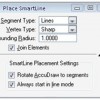
In this MicroStation tutorial, you will learn to use tool settings and use it to create linear elements.
Rendering Your Model
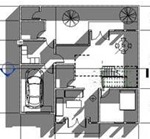
After we have finished creating a 3D model, then it is natural if we need to represent it in a nice photorealistic rendering image. We can do that in Revit, and we don’t need to be a master to produce a nice rendered image. Revit is included with mental ray rendering. It might not be […]
AutoCAD Performs Incorrect Calculation
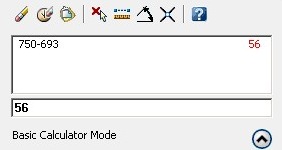
My friend notify me about this bug a couple days ago. He mention that when we use the QUICKCALC (or CAL) command, AutoCAD returns incorrect value. This is a bug. Try to calculate 750-693. You may see it returns incorrect value. I got 56. There are some more incorrect results. Yesterday, VMichl notify me that […]
Using AutoCAD Filter
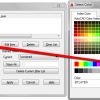
If you need to select objects based on their properties, you can save a filter then use it to quickly selects many objects.
Creating Custom Schedule Field
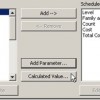
You have created door schedule before. Remember that now we have the ‘total cost’ column next to the count column? Sometimes we do want people who read this schedule know how much each unit costs. Not just the total. How can we show the unit cost and total cost together? Right click in your schedule […]
Maximize Your Screen and Speed Up with Ribbon Shortcut
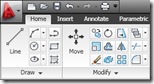
I know there are a lot of cons against AutoCAD (and other Autodesk products) after they finally implement ribbon for tools navigation. Especially for old school users. They feel like they have to start all over again to be familiar with this new interface. And there are complaints that using ribbon is taking a lot […]
AccuDraw and AccuSnap Exercise
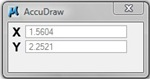
In this MicroStation tutorial, you will learn to use AccuDraw and AccuSnap to assist you to finish complex tasks.
How to: Label Coordinate in AutoCAD

Do you need to label coordinates in AutoCAD? This dynamic block with help you to quickly do that.
- « Previous Page
- 1
- …
- 90
- 91
- 92
- 93
- 94
- …
- 105
- Next Page »


