• Home
  • Training Books
  • Subscribe to Our Email Newsletter
  • About
    • Contributors
    • Feedback
    • Contact
    • Privacy policy
    • Cookie Policy
  • Bahasa Indonesia

CADnotes

CAD Tutorials and Best Practices for professionals and students

  • Featured
  • AutoCAD
    • AutoLISP
  • Revit
    • Revit Architecture Basic
    • Revit MEP Basic Tutorial
  • Inventor
  • MicroStation
    • MicroStation Basic Tutorial

MicroStation tutorial: Element Manipulation

January 13, 2010 by Edwin Prakoso 10 Comments

In this MicroStatino tutorial, you will learn how to manipulate elements. You will learn how to copy, move, rotate, etc.

Where is the Revit Shortcut List?

January 12, 2010 by Edwin Prakoso Leave a Comment

Using shortcut is always favorite way to speed up when working with applications. Including when working with Revit. Since now Revit is using ribbon, we can use ribbon shortcuts. You can see that even ribbon shortcut is cool, it requires us to press more buttons. We can use shortcuts for most Revit tools with ribbon, […]

Creating Railing Definition
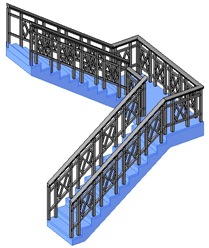
January 11, 2010 by Edwin Prakoso 9 Comments

Want to create your own railing in Revit? This is a beginner tutorial how you can do that!

Using Reference Plane in 3D Revit Families
January 11, 2010 by Edwin Prakoso 2 Comments

In this article, you will learn to use reference plane to create 3D Revit family.

The Basic of Using AutoCAD Drawing Tools
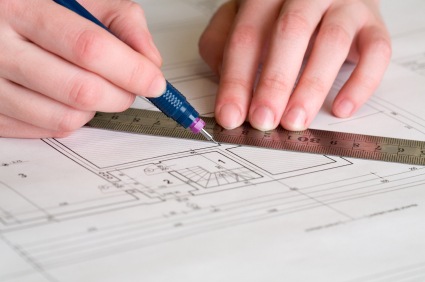
January 8, 2010 by Edwin Prakoso 20 Comments

Are you trying to learn AutoCAD by yourself? Here is a quick tip to start: how you can use AutoCAD tools.

Selecting Object Like in Windows Explorer
January 7, 2010 by Edwin Prakoso Leave a Comment

You don’t use AutoCAD often? Prefer to select objects in ‘Windows style’ like Windows explorer? You just need to change one system variable!

Introduction to AutoCAD: the Interface
January 7, 2010 by Edwin Prakoso 22 Comments

AutoCAD tutorial for beginners. In this article, you will be introduced to AutoCAD interface.

Best of CAD Notes: 20 Most Viewed in 2009

January 6, 2010 by Edwin Prakoso 1 Comment

Before we continue with new tutorials and tips, let’s look back a little. There are over 140 articles in CAD notes after 7 months running. I know it’s not such a big number, but it’s interesting to see what people want to see on CAD Notes. So I look into CAD Notes statistics on Google […]

  • « Previous Page
  • 1
  • …
  • 86
  • 87
  • 88
  • 89
  • 90
  • …
  • 105
  • Next Page »

Featured

6 Things AutoCAD Command Line Can Do for You (Infographics)

AutoCAD Command Line is the most important feature in AutoCAD. Veteran users can use two hands (one on the keyboard and the other using mouse) and draw very quickly. It is faster than relying on the GUI only.

The new users probably using GUI more than older users like me. They prefer the Ribbon and use the Command Line less. 

In this post, you can see 6 things AutoCAD Command Line can do to make your life easier. You don’t have to use them all, but at least you know it can be done. If you think it’s good, use it. But if you don’t like it, leave it.

Recent Articles

  • Automation is not AI
  • BIM Doesn’t Fix Your Problems
  • BIM is Useful, Until It’s Not

Advertisement

New on CADnotes

  • Automation is not AI
  • BIM Doesn’t Fix Your Problems
  • BIM is Useful, Until It’s Not
  • AI-Powered Rendering Now Available in Forma Board
  • Autodesk Forma Is Not The New Name For ACC

Meet the Authors

avatar for
avatar for
avatar for
avatar for
avatar for
avatar for

Get Connected

CADnotes on FacebookCADnotes on InstagramCADnotes on TwitterCADnotes on YouTube

© 2009 – 2026 CADnotes · Feedback · Privacy Policy · Become an affiliate