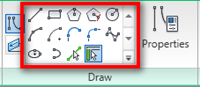
Sketching in Revit is quite different with drafting in AutoCAD. It can be very tricky. In this article, we will explore some tricks we can use for sketching. There are many tools that require you to create sketch: railing path, floor boundary, ceiling, detailing and drafting, creating families, etc. You need to sketch! In this […]
Placing Wall and Material Tag
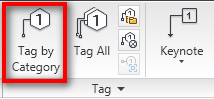
I had this question a few days ago: can we add tags to Revit walls? This question come up because the user always automatically tag his doors and windows. Door tags can be placed automatically during door placement. But not for walls. For many type of objects, we need to add tags manually. You can […]
Saving Families From a Project
Sometimes we get a Revit project file, and see some interesting Revit families in the project. Can we save it to our family library folder and use it for our future project? Yes. Open your Revit project. Using Revit Menu You can click on Revit menu> save as> library> family. Revit will open a save […]
Using Template and Setting Your Unit
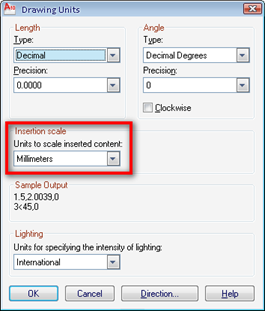
There’s not much in this tutorial. However, I consider this is very important part for the rest of the tutorial. I found most AutoCAD users never aware about using template. And worse, sometimes they just open existing drawing, erase the drawings, and use the existing styles and objects. Avoid this, since this will make your […]
Exercise: MicroStation Manipulate Tools
Nothing hard about using manipulate tools. The only thing you need to do to understand and get used to it is practicing… a lot. So let’s try to do an exercise to get to familiar with it. Download and open manipulate.dgn. Here is what we are going to do: I give you challenge, and you […]
Defining Material Parameters as Instance Properties
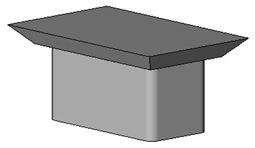
Let us continue to explore creating our own Revit family further. We have created families with parameters. All of the parameters are type properties. What is instance properties? Let’s take a look this wall instance properties. Instance properties define how a single object is placed in Revit. An object in an instance. They only control […]
Shaan Hurley’s Best of AutoCAD 2007 to AutoCAD 2010

Just want to share with you. I read in Shaan Hurley’s blog about the best AutoCAD features he picked from AutoCAD 2007 to 2010. You can download it as a pdf document. This is pretty much what I’m trying to share in this site. I write how you can be productive with AutoCAD, and not […]
Using AutoCAD Navigation Tools

AutoCAD navigation is a little different if you’ve never use CAD software before. Try this tip if you learn AutoCAD by yourself!
- « Previous Page
- 1
- …
- 85
- 86
- 87
- 88
- 89
- …
- 105
- Next Page »


