• Home
  • Training Books
  • Subscribe to Our Email Newsletter
  • About
    • Contributors
    • Feedback
    • Contact
    • Privacy policy
    • Cookie Policy
  • Bahasa Indonesia

CADnotes

CAD Tutorials and Best Practices for professionals and students

  • Featured
  • AutoCAD
    • AutoLISP
  • Revit
    • Revit Architecture Basic
    • Revit MEP Basic Tutorial
  • Inventor
  • MicroStation
    • MicroStation Basic Tutorial

How to Create a Table in Revit

November 20, 2018 by Edwin Prakoso 11 Comments

Revit doesn’t have a table as annotation tool. There are workarounds like creating it in AutoCAD or create text and detail lines. Me? I prefer this method.

Top 10 Memes for CAD Users

October 9, 2018 by Edwin Prakoso 7 Comments

People are going crazy about internet meme. There are some websites and social media accounts that are dedicated to sharing meme. This time I share some popular meme for CAD users. I hope you like it. Enjoy!

How to Show Unit Cost and Total Cost in Revit Schedule
October 6, 2018 by Edwin Prakoso 1 Comment

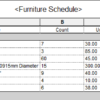
You need to show the unit cost and total cost in Revit schedule. But you can’t use count in the calculated formula. This tip shows you how you can do that!

How to Edit Multiple Revit Instance Parameters in Excel
June 20, 2018 by Edwin Prakoso Leave a Comment

When editing multiple instance parameters, it is easier to do it in Excel. In this article, we show you how to export the parameter’s value to Excel, modify it in Excel, then import the parameters to Revit.

How to Control Family Element Visibility with Parameter
June 3, 2018 by Edwin Prakoso 3 Comments

You can use parameters to control element visibility in your family. This control allows you to create fewer families. Learn how you can do it in our tutorial here.

Revit Tip: How to Pan View without Using Scroll Button
May 29, 2018 by Edwin Prakoso 9 Comments

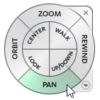
If you don’t like using the scroll button to pan the view, you can use zoom tool or navigation wheel as the alternatives. See how it works in this article.

Introduction to Revit Dynamo: Your First Dynamo Program

May 20, 2018 by Edwin Prakoso 2 Comments

Let’s create a simple Dynamo program to help you finish a repetitive task in Revit. This is the part one of our Dynamo tutorials.

Autodesk is in trouble

April 26, 2018 by Edwin Prakoso 11 Comments

Autodesk has an issue on their licensing server several times already. Many people already disappointed with the subscription, and now this issue can get Autodesk in a big trouble.

  • « Previous Page
  • 1
  • …
  • 12
  • 13
  • 14
  • 15
  • 16
  • …
  • 104
  • Next Page »

Featured

6 Things AutoCAD Command Line Can Do for You (Infographics)

AutoCAD Command Line is the most important feature in AutoCAD. Veteran users can use two hands (one on the keyboard and the other using mouse) and draw very quickly. It is faster than relying on the GUI only.

The new users probably using GUI more than older users like me. They prefer the Ribbon and use the Command Line less. 

In this post, you can see 6 things AutoCAD Command Line can do to make your life easier. You don’t have to use them all, but at least you know it can be done. If you think it’s good, use it. But if you don’t like it, leave it.

Recent Articles

  • Accessing Autodesk Docs Files from Windows Explorer
  • The Evolution of BIM: From 3D Models to Information Management
  • The Misconception of CAD to BIM

Advertisement

New on CADnotes

  • Accessing Autodesk Docs Files from Windows Explorer
  • The Evolution of BIM: From 3D Models to Information Management
  • The Misconception of CAD to BIM
  • Revit Pattern Alignment
  • Why BIM Dimensions (3D, 4D, 5D) Are No Longer Relevant

Meet the Authors

avatar for
avatar for
avatar for
avatar for
avatar for
avatar for

Get Connected

CADnotes on FacebookCADnotes on InstagramCADnotes on TwitterCADnotes on YouTube

© 2009 – 2026 CADnotes · Feedback · Privacy Policy · Become an affiliate