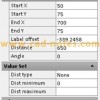
We created a door using stretch action in dynamic block tutorial. It was a good practice, but can be better. Stretching them might not be the best option. Sometimes we want the door at specific sizes. Providing the users a list would be better. We can use lookup table. Let’s open the door in that […]
AutoCAD Contextual Ribbon Tab
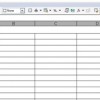
I tried to find about this in AutoCAD documentation, and can’t find any. Not even in new features workshop. Too bad, because I kind of like it. This feature is introduced in AutoCAD 2010. So what’s the contextual ribbon do? Remember when we create/edit a table then we will see the floating toolbar above the […]
Using MicroStation Text
An engineering drawing always has text. In this section we will discuss about placing and editing text, changing the text attribute, and understanding text style. Here are the text tool you can find in text tools group. Placing and Editing Text Placing Text You can place text by activating place text tool. After you activate […]
Placing Curtain Wall
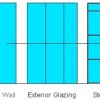
Curtain wall in Revit basically is a wall. It just use a different family type. Revit Architecture already has 3 curtain wall types. You can find them in type selector, after activating wall tool. The curtain wall type is a curtain wall with single panel. We need to define the grids and the mullions after […]
What is Your Favorite AutoCAD/Revit/MicroStation Tip?

This time, I’m asking your help to submit your favorite tips of all time. You can submit tips about AutoCAD, Revit, or MicroStation here. The purpose is to create 3 lists: ‘xx greatest tips’ for those 3 applications. ‘50 AutoCAD Greatest Tips’ sounds great, isn’t it? I believe we will see some great tips […]
Using Parametric Features in Dynamic Block
Parametric feature is very useful if you have similar object with slightly different geometry or size. In manufacturing, if you have nuts and bolts that looks the same, but have different sizes, parametric features is perfect for this purpose. This kind of remind us about dynamic block, isn’t it? Dynamic block has the same purpose, […]
Understanding Dimensional Constraint
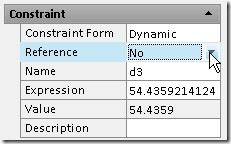
Want to learn about dynamic constraint in AutoCAD? See the explanation here.
MicroStation Drawing Elements: Circles and Polygon
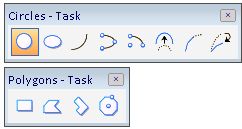
In this MicroStation tutorial, you will learn how to create polygon and circle.
- « Previous Page
- 1
- …
- 88
- 89
- 90
- 91
- 92
- …
- 105
- Next Page »


