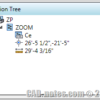
The idea of this post came up after I saw this thread in CAD Tutor: How to zoom to a point quickly?. It makes me think is there any easy way to do it in vanilla AutoCAD without programming knowledge? Then I remember action recorder. I decided to give it a try. If you are not […]
Preventing AutoCAD Ribbon Panels to Collapse
Do you use AutoCAD ribbon? One annoying thing about AutoCAD ribbon for me is when I have to work with low screen resolution. I do set it quite high on my computer and feel comfortable with it. However, when I have to do presentations, sometimes I have to set my screen resolution to 1024×768 pixels, […]
Creating Revit Elements by Face

We have created a conceptual mass with Revit. Now after we can show the project owner how the building will looks like, show the mass schedule, how can we finish the Revit building model? How can we convert the mass to building elements? It is very simple. You can do it in few minutes to […]
Quick and Dirty Tip: Resolving AutoCAD XREF Path
Receiving AutoCAD files with XREF can give us headache. You probably already familiar with this warning: It means that AutoCAD can’t find the reference files, because the file location on your computer is not the same with the sender’s computer. If you open the file references palette, you will see warning that the files are […]
10 Reasons to Use AutoCAD Layout

AutoCAD layout brings many benefits. It simplify, represent, manage and automate your drawings. See 10 reasons why you should use it here.
Changing Revit View Title Appearance
I have posted a tip how you can control Revit view title appearance. I made a big mistake by mentioning this: Now the question you probably want to ask: can we change the text appearance or change the circle symbol? As far as I know, no. It’s not external family, so you can’t edit it […]
Controlling Revit Viewport Title
When we place a Revit view into a sheet, we will always see the view title placed at the bottom of the view. Some of us can be annoyed by this view title, especially when we have only one view in our sheet. When we have only one sheet, maybe we only want to show […]
3 Advantages of Using MicroStation Temporary Snap
Do you use MicroStation temporary snaps? It probably feels awkward to press two mouse buttons at once to use it. In older version of MicroStation (pre-XM) many users change the mouse function to mid button. But as today we use it to pan the drawing (which is common in many CADD applications) you may want […]
- « Previous Page
- 1
- …
- 73
- 74
- 75
- 76
- 77
- …
- 105
- Next Page »


