• Home
  • Training Books
  • Subscribe to Our Email Newsletter
  • About
    • Contributors
    • Feedback
    • Contact
    • Privacy policy
    • Cookie Policy
  • Bahasa Indonesia

CADnotes

CAD Tutorials and Best Practices for professionals and students

  • Featured
  • AutoCAD
    • AutoLISP
  • Revit
    • Revit Architecture Basic
    • Revit MEP Basic Tutorial
  • Inventor
  • MicroStation
    • MicroStation Basic Tutorial

What’s new in AutoCAD 2017: Drafting and Annotation Enhancements

May 3, 2016 by Edwin Prakoso Leave a Comment

AutoCAD

Have you installed AutoCAD 2017? Have you explored the new features in drafting tools? The new centerlines tools are pretty nice!

What’s new in AutoCAD 2017: System Enhancement

April 18, 2016 by Edwin Prakoso 9 Comments

AutoCAD

Let’s see new features in AutoCAD 2017. Let’s start with the new system enhancements. We have new software license manager, PDF import and more!

Autodesk Trade-in Offer

March 30, 2016 by Edwin Prakoso Leave a Comment

Autodesk offers limited time to trade-in your old perpetual licenses to a subscription model. You can get three years license for one year price. This offer is valid until April 22, 2016.

Protecting your AutoCAD drawing with anonymous block

March 11, 2016 by Edwin Prakoso 11 Comments

You spent much time to create your drawing. Now you don’t want someone just take it and use your drawing, don’t you? Try this tip to protect your drawing!

BCOUNT alternative for AutoCAD LT
February 24, 2016 by Edwin Prakoso 5 Comments

QSELECT result

Can’t find BCOUNT on AutoCAD LT? Don’t worry, there’s a workaround to count blocks in your drawing quickly!

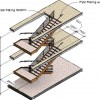
How to add dimensions in Revit 3D view
February 12, 2016 by Edwin Prakoso 2 Comments

You can create a 3D view with dimension in Revit. Using visual effects on this view will make it a stunning image for your presentation!

Create new AutoCAD Annotations in specific layer automatically

February 2, 2016 by Edwin Prakoso 1 Comment

annotations

Do you need to create AutoCAD annotations in specific layer automatically? FLay add-in from CAD Studio can help you to do this quickly!

Using AutoCAD saved view when opening a DWG

January 12, 2016 by Edwin Prakoso 3 Comments

Have you used AutoCAD saved views yet? We already covered the benefits here: 5 Benefits of using AutoCAD saved views. It is very useful to use it, particularly when you work with a very large drawing. In this tip, we will see how we can use it when we open a DWG. Let’s see this […]

  • « Previous Page
  • 1
  • …
  • 27
  • 28
  • 29
  • 30
  • 31
  • …
  • 104
  • Next Page »

Featured

The Misconception of CAD to BIM

Many believe they have moved from CAD to BIM. In reality, they may have only changed software, not how information is managed. It’s a common misunderstanding: BIM is not about better drawings, it’s about managing information. This article explains what really changes, and what does not.

Recent Articles

  • Accessing Autodesk Docs Files from Windows Explorer
  • The Evolution of BIM: From 3D Models to Information Management
  • The Misconception of CAD to BIM

Advertisement

New on CADnotes

  • Accessing Autodesk Docs Files from Windows Explorer
  • The Evolution of BIM: From 3D Models to Information Management
  • The Misconception of CAD to BIM
  • Revit Pattern Alignment
  • Why BIM Dimensions (3D, 4D, 5D) Are No Longer Relevant

Meet the Authors

avatar for
avatar for
avatar for
avatar for
avatar for
avatar for

Get Connected

CADnotes on FacebookCADnotes on InstagramCADnotes on TwitterCADnotes on YouTube

© 2009 – 2026 CADnotes · Feedback · Privacy Policy · Become an affiliate