• Home
  • Training Books
  • Subscribe to Our Email Newsletter
  • About
    • Contributors
    • Feedback
    • Contact
    • Privacy policy
    • Cookie Policy
  • Bahasa Indonesia

CADnotes

CAD Tutorials and Best Practices for professionals and students

  • Featured
  • AutoCAD
    • AutoLISP
  • Revit
    • Revit Architecture Basic
    • Revit MEP Basic Tutorial
  • Inventor
  • MicroStation
    • MicroStation Basic Tutorial

Working with XREF: Controlling Appearance
July 25, 2016 by Edwin Prakoso 4 Comments

The XREF tutorial continues. This time, we learn how to modify the reference appearance in the host drawing. Clip it and change the layer properties!

Working with XREF: Understanding File Path

July 6, 2016 by Edwin Prakoso 2 Comments

In this tutorial, we cover about path type. Which one should you use? Full path, relative or no path? And how can you resolve the path when it’s broken?

July Recommendation: The CAD Setter Out

July 4, 2016 by Edwin Prakoso 1 Comment

I recommend the CAD Setter Out for July. If you are an AutoCAD and/or Inventor user, I think you will find it interesting!

Working with XREF: Attaching External Files
July 1, 2016 by Edwin Prakoso Leave a Comment

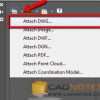
Our XREF tutorial continues. In this 2nd article, we cover how to attach a DWG file. We also introduce you to XREF options.

Working with XREF: Introduction

June 29, 2016 by Edwin Prakoso 7 Comments

This is the first part of AutoCAD XREF tutorial series. Here we learn about the concept and benefits first.

How to Prevent Users Installing Products from Autodesk Desktop App

June 23, 2016 by Edwin Prakoso 4 Comments

The new Autodesk Desktop App update allows users to install products and see the serial number. This is how you can prevent it.

Lynn Allen’s AutoCAD 2017 booklet

June 21, 2016 by Edwin Prakoso 1 Comment

Lynn’s AutoCAD 2017 booklet has been released. You can download, print and use it to learn about the new features!

Using different sets of AutoCAD Object Snaps quickly

June 9, 2016 by Edwin Prakoso 11 Comments

This tip will help you to switch between different sets of AutoCAD Object Snaps quickly. You don’t have to check and uncheck the options one by one!

  • « Previous Page
  • 1
  • …
  • 26
  • 27
  • 28
  • 29
  • 30
  • …
  • 105
  • Next Page »

Featured

creating flat pattern Inventor

Automate Flat Pattern of Continuous Spiral Flight Design Using iLogic

See our tip how you can create flat pattern from Continuous Spiral Flight. And furthermore, we will automate this by using iLogic!

Recent Articles

  • Automation is not AI
  • BIM Doesn’t Fix Your Problems
  • BIM is Useful, Until It’s Not

Advertisement

New on CADnotes

  • Automation is not AI
  • BIM Doesn’t Fix Your Problems
  • BIM is Useful, Until It’s Not
  • AI-Powered Rendering Now Available in Forma Board
  • Autodesk Forma Is Not The New Name For ACC

Meet the Authors

avatar for
avatar for
avatar for
avatar for
avatar for
avatar for

Get Connected

CADnotes on FacebookCADnotes on InstagramCADnotes on TwitterCADnotes on YouTube

© 2009 – 2026 CADnotes · Feedback · Privacy Policy · Become an affiliate