
• Home
  • Training Books
  • Subscribe to Our Email Newsletter
  • About
    • Contributors
    • Feedback
    • Contact
    • Privacy policy
    • Cookie Policy
  • Bahasa Indonesia

CADnotes

CAD Tutorials and Best Practices for professionals and students

  • Featured
  • AutoCAD
    • AutoLISP
  • Revit
    • Revit Architecture Basic
    • Revit MEP Basic Tutorial
  • Inventor
  • MicroStation
    • MicroStation Basic Tutorial

Lynn Allen’s AutoCAD 2017 booklet

June 21, 2016 by Edwin Prakoso 1 Comment

Lynn’s AutoCAD 2017 booklet has been released. You can download, print and use it to learn about the new features!

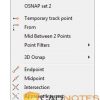
Using different sets of AutoCAD Object Snaps quickly
June 9, 2016 by Edwin Prakoso 11 Comments

This tip will help you to switch between different sets of AutoCAD Object Snaps quickly. You don’t have to check and uncheck the options one by one!

June recommendation: Lee Mac Programming

June 3, 2016 by Edwin Prakoso 4 Comments

In this month, we recommend you to visit Lee Mac website to find some great AutoLISP programs. They surely can help you to work faster!

Autodesk Desktop App: More than just to get updates
May 25, 2016 by Edwin Prakoso 1 Comment

Desktop App Learning Contents

Autodesk has replaced Application Manager with Desktop App. What’s new? It’s the tool to download subscription benefits!

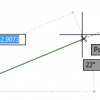
How to Change AutoCAD Angular Precision Display
May 23, 2016 by Edwin Prakoso 6 Comments

Dynamic input angle

Why AutoCAD round up angle with decimal precision? How can we work with an angle that uses decimal precisions?

Autodesk Answer Day May 18th 2016

May 18, 2016 by Edwin Prakoso 6 Comments

Autodesk team

Do you have some questions you want to ask related to Autodesk products? Today Autodesk have “Autodesk Answer Day”. You can ask your questions in Autodesk forums, and Autodesk experts will answer it live.

Create a Custom AutoCAD Array Command

May 16, 2016 by Edwin Prakoso 1 Comment

If you want to change the array default size, you can create a custom command easily with Action Recorder. Let’s explore how to create a macro without programming knowledge!

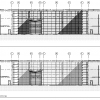
Revit 2017: Depth Cueing
May 12, 2016 by Edwin Prakoso Leave a Comment

The new depth cueing feature in Revit 2017 helps you to make better visualization of your design quickly. Have you tried it?

  • « Previous Page
  • 1
  • …
  • 27
  • 28
  • 29
  • 30
  • 31
  • …
  • 106
  • Next Page »

Featured

Why you should use AutoCAD blocks

AutoCAD blocks can increase your productivity significantly. See why you should use block and optimize your blocks library to help your productivity here. Not only reduce boring repetitive tasks, it can also make your drawing smarter!

Recent Articles

  • Is Your Revit Model Healthy?
  • Older Revit Will Lose Access to Cloud Models
  • Automation is not AI

Advertisement

New on CADnotes

  • Is Your Revit Model Healthy?
  • Older Revit Will Lose Access to Cloud Models
  • Automation is not AI
  • BIM Doesn’t Fix Your Problems
  • BIM is Useful, Until It’s Not

Meet the Authors

avatar for
avatar for
avatar for
avatar for
avatar for
avatar for

Get Connected

CADnotes on FacebookCADnotes on InstagramCADnotes on TwitterCADnotes on YouTube

© 2009 – 2026 CADnotes · Feedback · Privacy Policy · Become an affiliate