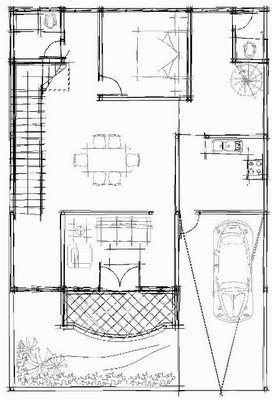
Do you know that you can show AutoCAD drawing as hand sketched drawing? You can play with visual styles to achieve this.
Enable Network License Service Behind Firewall

Another troubleshoot on network license using flexlm. If you are using LM Tools/flexlm, you might found your client workstation cannot find the license service. When you perform status enquiry, you see your license server is actually running. When you check on your client workstation, it can access your server. What’s wrong? I found this problem […]
How to: Combine Your License File
I found this problem when I installed AutoCAD and Civil3D network license on the same license server. As we know, Autodesk use Flexlm to manage license on server. I can’t make them both work! In flexlm, if I started AutoCAD license service first, then Civil3D service won’t start. And vice versa. I saw in the […]
How to: Get Hi Res Image from AutoCAD?
Need a high resolution image from AutoCAD drawing for presentation? You can plot it!
Creating Roof
Let’s go further with our Revit tutorial. In the last tutorial, we learn about creating floor. Now we are going to create roofs. There are 3 ways to make this building component. By footprints, extrusion, and by face. In this tutorial, we will discuss about creating it by footprints. In your Revit project, open your […]
Using DWF and PDF as Underlay
Are you familiar with DWF (design web format)? Or PDF (portable document format)? Both are vector document that are used for document sharing via email or website. These days, both of them become a familiar file format we receive, because people don’t want us to get their original DWG. Or we don’t want people to […]
A Simple Guide: 12 steps to Master AutoCAD

So you want to be an AutoCAD jedi? Learning AutoCAD is easy, not as difficult as you think. See the 12 steps to get there!
Creating Floors
In this Revit tutorial, we will add more building components. We will create floors in our Revit model.
- « Previous Page
- 1
- …
- 98
- 99
- 100
- 101
- 102
- …
- 105
- Next Page »


