• Home
  • Training Books
  • Subscribe to Our Email Newsletter
  • About
    • Contributors
    • Feedback
    • Contact
    • Privacy policy
    • Cookie Policy

CADnotes

CAD Tutorials and Best Practices for professionals and students

  • Featured
  • AutoCAD
    • AutoLISP
  • Revit
    • Revit Architecture Basic
    • Revit MEP Basic Tutorial
  • Inventor
  • MicroStation
    • MicroStation Basic Tutorial

Revit MEP Tutorial: Working with Auto-Route

January 26, 2017 by Edwin Prakoso 1 Comment

In this MEP tutorial, you will learn how to create route automatically using Generate Layout tool. You will also learn how to resize the duct based on calculation.

Revit MEP Tutorial: Working with Systems
January 3, 2017 by Edwin Prakoso 1 Comment

This Revit MEP tutorial shows how you can create an air supply system and an air return system. We will work more with systems after this introduction.

Revit MEP tutorial: Modifying Route
November 15, 2016 by Edwin Prakoso 1 Comment

In this Revit MEP tutorial, we will learn how to modify a pipe route. We will change the pipe size and add slope to a pipe drain route.

Revit MEP tutorial: Creating Drain Route
November 4, 2016 by Edwin Prakoso 4 Comments

In this Revit MEP tutorial, we will create a drain pipe route. We use a different technique: using the pipe tool.

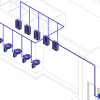
Revit MEP tutorial: Connecting Plumbing Fixture to Pipe Route
October 19, 2016 by Edwin Prakoso 2 Comments

In this Revit MEP tutorial, we use a different technique to connect plumbing fixtures to a pipe route. We also introduce you to System Browser.

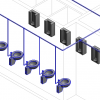
Revit MEP tutorial: Creating Water Supply Route
October 12, 2016 by Edwin Prakoso 5 Comments

In this Revit MEP tutorial, you will learn how to create a pipe route and connect our plumbing fixtures to the pipe route. You will also learn a few tricks to work with the model easier!

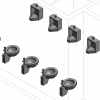
Revit MEP tutorial: Placing the Sanitary Components
October 2, 2016 by Edwin Prakoso Leave a Comment

This is the 2nd part of Revit MEP tutorial. In this part, you will add sanitary equipment to your model. Don’t miss our tutorial series, still many more to come!

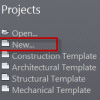
Revit MEP tutorial: Create a new project and link architecture model
September 26, 2016 by Edwin Prakoso Leave a Comment

The first article of Revit MEP tutorial series. In this first part, you will create a new project and link an architecture model to your project.

  • « Previous Page
  • 1
  • 2

Featured

Work Better with AutoCAD | Challenge 5 – Learn the new features

Autodesk releases new AutoCAD version annually. Do you learn the new features? Many of the new features can help you to be more productive!

Recent Articles

  • Placing Views on Sheet Efficiently with Saved Position
  • Autodesk Forma: One Platform to Rule the AEC Lifecycle
  • Accessing Autodesk Docs Files from Windows Explorer

Advertisement

New on CADnotes

  • Placing Views on Sheet Efficiently with Saved Position
  • Autodesk Forma: One Platform to Rule the AEC Lifecycle
  • Accessing Autodesk Docs Files from Windows Explorer
  • The Evolution of BIM: From 3D Models to Information Management
  • The Misconception of CAD to BIM

Meet the Authors

avatar for
avatar for
avatar for
avatar for
avatar for
avatar for

Get Connected

CADnotes on FacebookCADnotes on InstagramCADnotes on TwitterCADnotes on YouTube

© 2009 – 2026 CADnotes · Feedback · Privacy Policy · Become an affiliate