• Home
  • Training Books
  • Subscribe to Our Email Newsletter
  • About
    • Contributors
    • Feedback
    • Contact
    • Privacy policy
    • Cookie Policy
  • Bahasa Indonesia

CADnotes

CAD Tutorials and Best Practices for professionals and students

  • Featured
  • AutoCAD
    • AutoLISP
  • Revit
    • Revit Architecture Basic
    • Revit MEP Basic Tutorial
  • Inventor
  • MicroStation
    • MicroStation Basic Tutorial

Why AutoCAD activates wrong command when using command line

January 27, 2014 by Edwin Prakoso 8 Comments

INPUTSEARCHDELAY

Does your AutoCAD activates wrong command when you type too fast in command line? Here is the fix.

Sharing files and designs with Autodesk 360

January 21, 2014 by Edwin Prakoso 4 Comments

If you have Autodesk account, you can have free 5GB online storage. You can use it to share large files or provide 3D viewers. You can showcase your design on your company website or your personal portfolio!

AutoCAD macros allows you to do these easily

January 13, 2014 by Edwin Prakoso 5 Comments

makes my life easier

If you haven’t used any macro before, you might want to start using it after you see what it can do! These are a couple of cool samples!

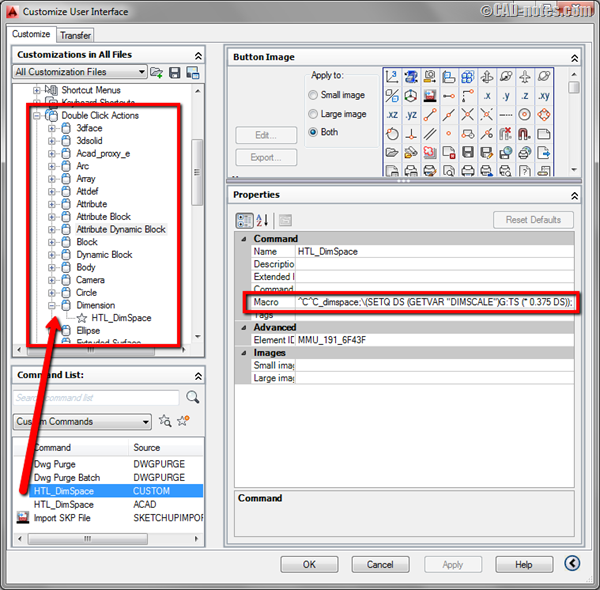
Automatic AutoCAD dimension spacing using double click action
January 2, 2014 by Edwin Prakoso 11 Comments

In this article we will create a custom doubleclick action to change dimension spacing. Simple but powerful macro!

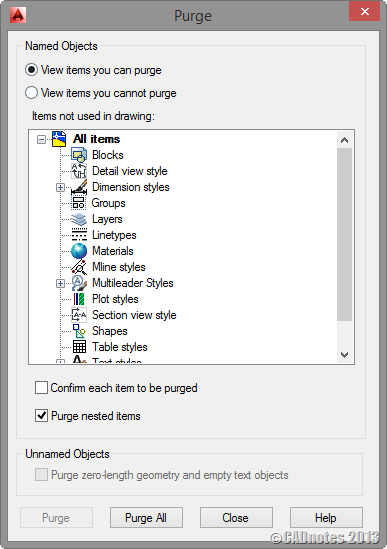
Drawing purge: powerful utility to purge unused objects

December 18, 2013 by Edwin Prakoso 6 Comments

Do you have many DWG files that unusually large? This plugin can batch purge your files without opening them! It removes DGN linetypes, annotation scale, and more!

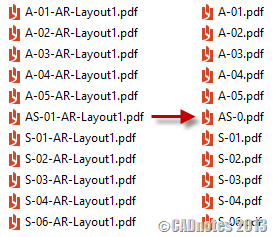
How to: rename multiple files quickly
December 12, 2013 by Edwin Prakoso 15 Comments

Need to rename multiple files quickly? Like to get rid prefix created by AutoCAD publish? Read the solution here.

These are what you can do to make your AutoCAD files smaller
December 10, 2013 by Edwin Prakoso 32 Comments

Do you think your AutoCAD DWG file is unnecessarily large? You can try to reduce the file size by doing these.

How to: Create polygon in isometric drawing

November 25, 2013 by Edwin Prakoso Leave a Comment

Manual drafting

Do you need to create isometric polygon in your drawing? Lee Mac has an AutoLISP program to do that easily!

  • « Previous Page
  • 1
  • …
  • 16
  • 17
  • 18
  • 19
  • 20
  • …
  • 55
  • Next Page »

Featured

save AutoCAD workspace

How to create classic workspace in AutoCAD

Do you know that AutoCAD 2015 doesn’t have classic workspace? Don’t worry, you still can create it and use toolbar. Read how to create it here.

Recent Articles

  • AI-Powered Rendering Now Available in Forma Board
  • Autodesk Forma Is Not The New Name For ACC
  • Placing Views on Sheet Efficiently with Saved Position

Advertisement

New on CADnotes

  • AI-Powered Rendering Now Available in Forma Board
  • Autodesk Forma Is Not The New Name For ACC
  • Placing Views on Sheet Efficiently with Saved Position
  • Autodesk Forma: One Platform to Rule the AEC Lifecycle
  • Accessing Autodesk Docs Files from Windows Explorer

Meet the Authors

avatar for
avatar for
avatar for
avatar for
avatar for
avatar for

Get Connected

CADnotes on FacebookCADnotes on InstagramCADnotes on TwitterCADnotes on YouTube

© 2009 – 2026 CADnotes · Feedback · Privacy Policy · Become an affiliate