• Home
  • Training Books
  • Subscribe to Our Email Newsletter
  • About
    • Contributors
    • Feedback
    • Contact
    • Privacy policy
    • Cookie Policy
  • Bahasa Indonesia

CADnotes

CAD Tutorials and Best Practices for professionals and students

  • Featured
  • AutoCAD
    • AutoLISP
  • Revit
    • Revit Architecture Basic
    • Revit MEP Basic Tutorial
  • Inventor
  • MicroStation
    • MicroStation Basic Tutorial

Creating Schedule from Your AutoCAD Drawing

September 15, 2009 by Edwin Prakoso 30 Comments

Do you know that you can create schedule from your AutoCAD drawings automatically? In this tutorial, you will create door schedule!

Create Revit Levels using Array
September 13, 2009 by Edwin Prakoso Leave a Comment

I have wrote about creating new levels in Revit. It’s fine if you only have several levels. But what if you have 20 levels? or may be 50? Drawing each level in elevation view would be ridiculous. Even by picking lines it would be a tedious task. Why not create them using array? We know […]

AutoCAD Isometric Text and Dimension
September 10, 2009 by Edwin Prakoso 22 Comments

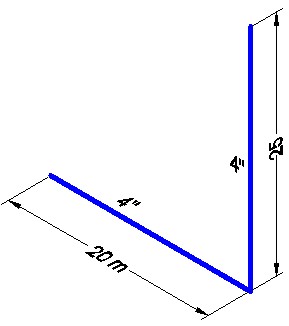
How can we make isometric text and dimension in AutoCAD? Check this workaround!

Autodesk Products Issue when Norton Installed

September 9, 2009 by Edwin Prakoso 1 Comment

I found two issues lately. My customer have problem with their AutoCAD 2008 after they install Norton 360. Lucky for him, Symantec provide a hotfix for this issue. Later another customer have problem with their Inventor 2010. It was Norton Internet Security that cause this. This is an old issue, since Inventor 11. But it […]

Creating Floor Edge Slab and Custom Component
September 9, 2009 by Edwin Prakoso 6 Comments

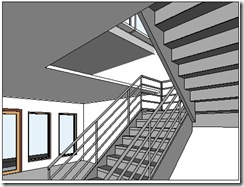
We have created ceiling in our Revit model. Now let’s take a look to our void in stair area. There is a gap between floor at 2nd story and 1st floor ceiling. In the real world, of course this is not right. We have to close it. There are several ways to do that, depends […]

Isometric Drawing in AutoCAD

September 8, 2009 by Edwin Prakoso 7 Comments

Do you need to create isometric drawing in AutoCAD? Try using this tool to make it easier for you!

Summary: The Magic of Defining Your Own Workflow

September 7, 2009 by Edwin Prakoso Leave a Comment

I have posted a tutorial series for AutoCAD. It’s not really a basic tutorial, but it’s about defining a system. We learn how create a custom workflow for our specific use. And become more productive. Your industry may not use the same objects. And you may need different techniques, but basically it’s the same. Let’s […]

Maintaining Your CAD Standard

September 7, 2009 by Edwin Prakoso 6 Comments

In previous tutorial, we have prepared and set our default template. It might cross your mind, why would bother creating a template? We can use tool palettes to create our objects without having to creating any layers or styles. One, templates can hold more information than palettes. And there are some objects you need to […]

  • « Previous Page
  • 1
  • …
  • 94
  • 95
  • 96
  • 97
  • 98
  • …
  • 105
  • Next Page »

Featured

save AutoCAD workspace

How to create classic workspace in AutoCAD

Do you know that AutoCAD 2015 doesn’t have classic workspace? Don’t worry, you still can create it and use toolbar. Read how to create it here.

Recent Articles

  • BIM is Useful, Until It’s Not
  • AI-Powered Rendering Now Available in Forma Board
  • Autodesk Forma Is Not The New Name For ACC

Advertisement

New on CADnotes

  • BIM is Useful, Until It’s Not
  • AI-Powered Rendering Now Available in Forma Board
  • Autodesk Forma Is Not The New Name For ACC
  • Placing Views on Sheet Efficiently with Saved Position
  • Autodesk Forma: One Platform to Rule the AEC Lifecycle

Meet the Authors

avatar for
avatar for
avatar for
avatar for
avatar for
avatar for

Get Connected

CADnotes on FacebookCADnotes on InstagramCADnotes on TwitterCADnotes on YouTube

© 2009 – 2026 CADnotes · Feedback · Privacy Policy · Become an affiliate