• Home
  • Training Books
  • Subscribe to Our Email Newsletter
  • About
    • Contributors
    • Feedback
    • Contact
    • Privacy policy
    • Cookie Policy
  • Bahasa Indonesia

CADnotes

CAD Tutorials and Best Practices for professionals and students

  • Featured
  • AutoCAD
    • AutoLISP
  • Revit
    • Revit Architecture Basic
    • Revit MEP Basic Tutorial
  • Inventor
  • MicroStation
    • MicroStation Basic Tutorial

AutoCAD tip: Turning off multifunctional grips
June 21, 2011 by Edwin Prakoso 1 Comment

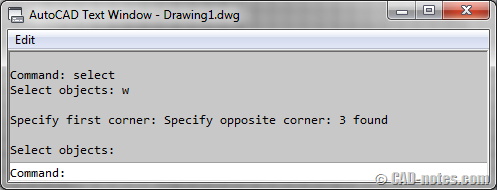
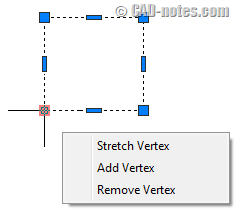
If you are using AutoCAD 2011 or 2012 and feel annoyed by multifunctional grip, you may want to turn it off or change the behavior. Read how!

Disable shift+mid button as transparent orbit

June 20, 2011 by Edwin Prakoso 3 Comments

Do you often accidentally activate AutoCAD transparent orbit by clicking shift+mid button? By modifying CUI, you can turn it off.

Project Neon now support Revit 2012!

June 16, 2011 by Edwin Prakoso Leave a Comment

If you think rendering with Revit takes too much time, you’ll be happy to know that you can do it in a few minutes. Project Neon supports Revit now!

Extend your AutoCAD with add-ons from app store!
June 16, 2011 by Edwin Prakoso 2 Comments

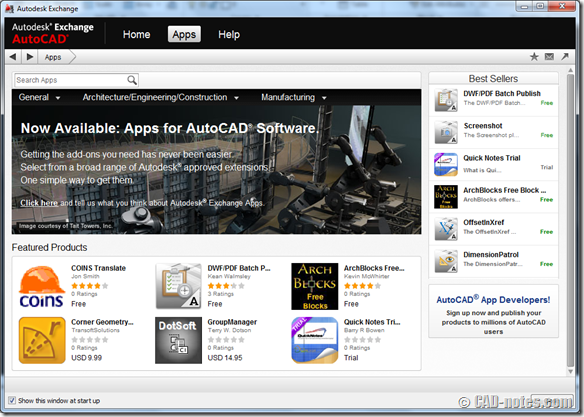
Autodesk exchange now has application store. You can get add-ons to extend the capabilities. If you’re lucky, what you’re looking for is available for free!

Enable block attribute dialog during insertion
June 8, 2011 by Edwin Prakoso 1 Comment

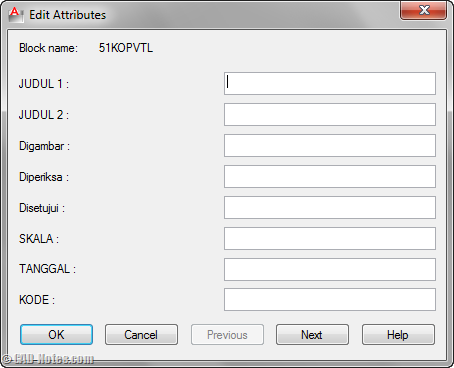
Do you have blocks with many attributes? Do you ever wish you can input the value easier than typing in command line? See how to do it by changing a system variable.

Revit Architecture 2012: materials enhancements

June 6, 2011 by Edwin Prakoso 1 Comment

In this for ‘what’s new in Revit Architecture 2012’ series post, we cover what are the enhancements in materials.

Do you know that you can plot using TrueView?

June 3, 2011 by Edwin Prakoso 4 Comments

Need to plot DWG files? Or create DWF, PDF, or sketch images from DWG? If your AutoCAD doesn’t support it, try to use TrueView!

Insert AutoCAD block without being asked to input value

June 1, 2011 by Edwin Prakoso 2 Comments

Want to prevent AutoCAD asking you to change attribute value, when you insert a block? See how you can set some attributes for not being asked when you insert the block here.

  • « Previous Page
  • 1
  • …
  • 63
  • 64
  • 65
  • 66
  • 67
  • …
  • 105
  • Next Page »

Featured

Doing computer exercise

How to pass Autodesk Professional certification

Do you plan to take Autodesk certification exam? Here are some tips and tricks to pass the exam. The questions are not difficult, but you need some tricks and strategy to easily pass it!

Recent Articles

  • AI-Powered Rendering Now Available in Forma Board
  • Autodesk Forma Is Not The New Name For ACC
  • Placing Views on Sheet Efficiently with Saved Position

Advertisement

New on CADnotes

  • AI-Powered Rendering Now Available in Forma Board
  • Autodesk Forma Is Not The New Name For ACC
  • Placing Views on Sheet Efficiently with Saved Position
  • Autodesk Forma: One Platform to Rule the AEC Lifecycle
  • Accessing Autodesk Docs Files from Windows Explorer

Meet the Authors

avatar for
avatar for
avatar for
avatar for
avatar for
avatar for

Get Connected

CADnotes on FacebookCADnotes on InstagramCADnotes on TwitterCADnotes on YouTube

© 2009 – 2026 CADnotes · Feedback · Privacy Policy · Become an affiliate