• Home
  • Training Books
  • Subscribe to Our Email Newsletter
  • About
    • Contributors
    • Feedback
    • Contact
    • Privacy policy
    • Cookie Policy
  • Bahasa Indonesia

CADnotes

CAD Tutorials and Best Practices for professionals and students

  • Featured
  • AutoCAD
    • AutoLISP
  • Revit
    • Revit Architecture Basic
    • Revit MEP Basic Tutorial
  • Inventor
  • MicroStation
    • MicroStation Basic Tutorial

Revit Temporary Dimension Setting is Missing?
June 28, 2021 by Edwin Prakoso Leave a Comment

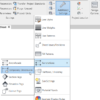
Can’t find the Revit Temporary Dimension settings? In Revit 2022 it’s under the annotation category.

Revit Schedules 101 – Part 1: Creating a Schedule
June 23, 2021 by Edwin Prakoso Leave a Comment

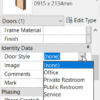
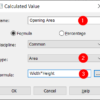
In this article, learn how you can create a Revit schedule. We will cover more in details in the future article!

What’s New in Revit 2022: More File Support
May 7, 2021 by Edwin Prakoso Leave a Comment

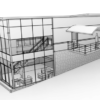
There are a few enhancements in Revit 2022 file support. The long waited feature is to export 2D PDF directly from Revit.

What’s new in Revit 2022: Annotation
April 26, 2021 by Edwin Prakoso Leave a Comment

In this article we cover what’s new in Revit 2022 for annotations. Including now we can show grids in 3D view!

What’s New in Revit 2022: Rebar Enhancements
April 15, 2021 by Edwin Prakoso Leave a Comment

In this article we will see the enhancements in Revit 2022 for rebar modeling.

What’s New in Revit 2022: Walls Enhancements
April 9, 2021 by Edwin Prakoso Leave a Comment

One enhancement to highlight in Revit 2022 is the tapered wall. Let’s see how to use it and see a couple more enhancements in walls.

Dynamo Missing Package Tracking
March 3, 2021 by Edwin Prakoso Leave a Comment

Since version 2.3. Dynamo has the ability to trace a missing package from a Dynamo script. See how it works here.

Why My Stair is Cut in My Revit Callout?

February 4, 2021 by Edwin Prakoso Leave a Comment

If you find some objects don’t appear correctly in your Callout view, you may need to check the Callout type. Especially when you create a Callout in your floor plan.

  • « Previous Page
  • 1
  • …
  • 3
  • 4
  • 5
  • 6
  • 7
  • …
  • 28
  • Next Page »

Featured

engineering drawing

Work Better with AutoCAD | Challenge 2: Template

After completing the 1st challenge, this week you will work with templates. Our goal is to reduce repetitive tasks.

Recent Articles

  • Why BIM Dimensions (3D, 4D, 5D) Are No Longer Relevant
  • Bridge: Controlled Data Sharing Between Stakeholders
  • Autodesk Construction Cloud Evolution

Advertisement

New on CADnotes

  • Why BIM Dimensions (3D, 4D, 5D) Are No Longer Relevant
  • Bridge: Controlled Data Sharing Between Stakeholders
  • Autodesk Construction Cloud Evolution
  • Autodesk Construction Cloud Activity Log
  • Exporting AutoCAD Plant 3D Model to Navisworks

Meet the Authors

avatar for
avatar for
avatar for
avatar for
avatar for
avatar for

Get Connected

CADnotes on FacebookCADnotes on InstagramCADnotes on TwitterCADnotes on YouTube

© 2009 – 2026 CADnotes · Feedback · Privacy Policy · Become an affiliate