• Home
  • Training Books
  • Subscribe to Our Email Newsletter
  • About
    • Contributors
    • Feedback
    • Contact
    • Privacy policy
    • Cookie Policy
  • Bahasa Indonesia

CADnotes

CAD Tutorials and Best Practices for professionals and students

  • Featured
  • AutoCAD
    • AutoLISP
  • Revit
    • Revit Architecture Basic
    • Revit MEP Basic Tutorial
  • Inventor
  • MicroStation
    • MicroStation Basic Tutorial
You are here: Home / Revit / What’s New in Revit 2022: Rebar Enhancements

What’s New in Revit 2022: Rebar Enhancements

April 15, 2021 by Edwin Prakoso Leave a Comment

In this Article...

Toggle
  • Rebar Placement by Two Points
  • Move Rebar in a Set
  • Model Rebar using the Real Bar Diameter
  • Select Shape Code for Custom Bent Free Form Rebar
  • What do You Think?

Reinforcement rebar has a few enhancements in Revit 2022. These features quite helpful if you do rebar design. No significant changes, though.

Rebar Placement by Two Points

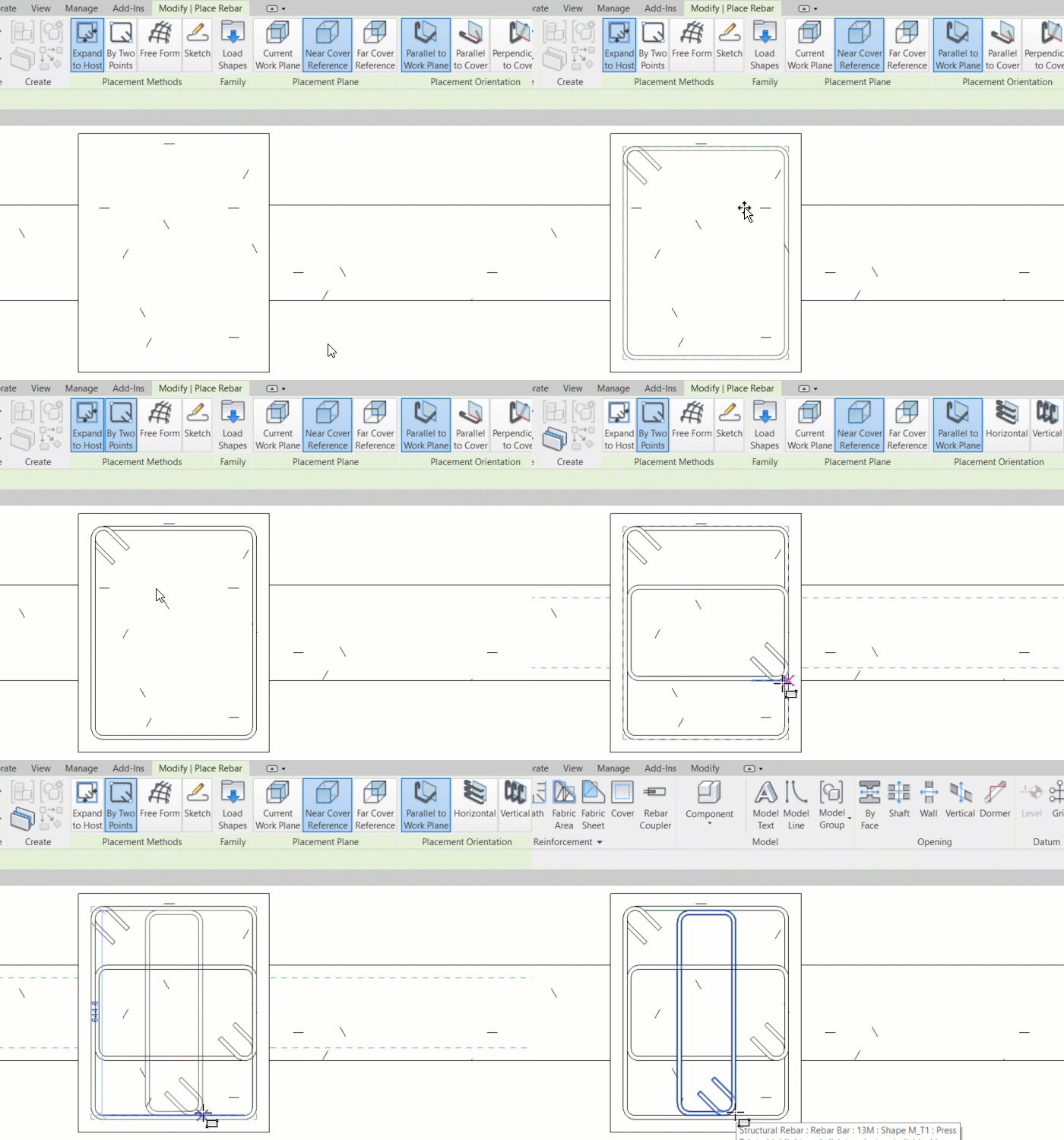
In Revit 2022, now we can place rebar by two points. Just like drawing a rectangle. This is the most helpful enhancement for me.
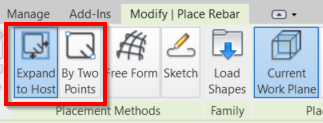
This method is straightforward and efficient. In the previous versions, we are limited to place rebar following the rebar cover, and we need to modify the shape later. But now it’s pretty convenient.
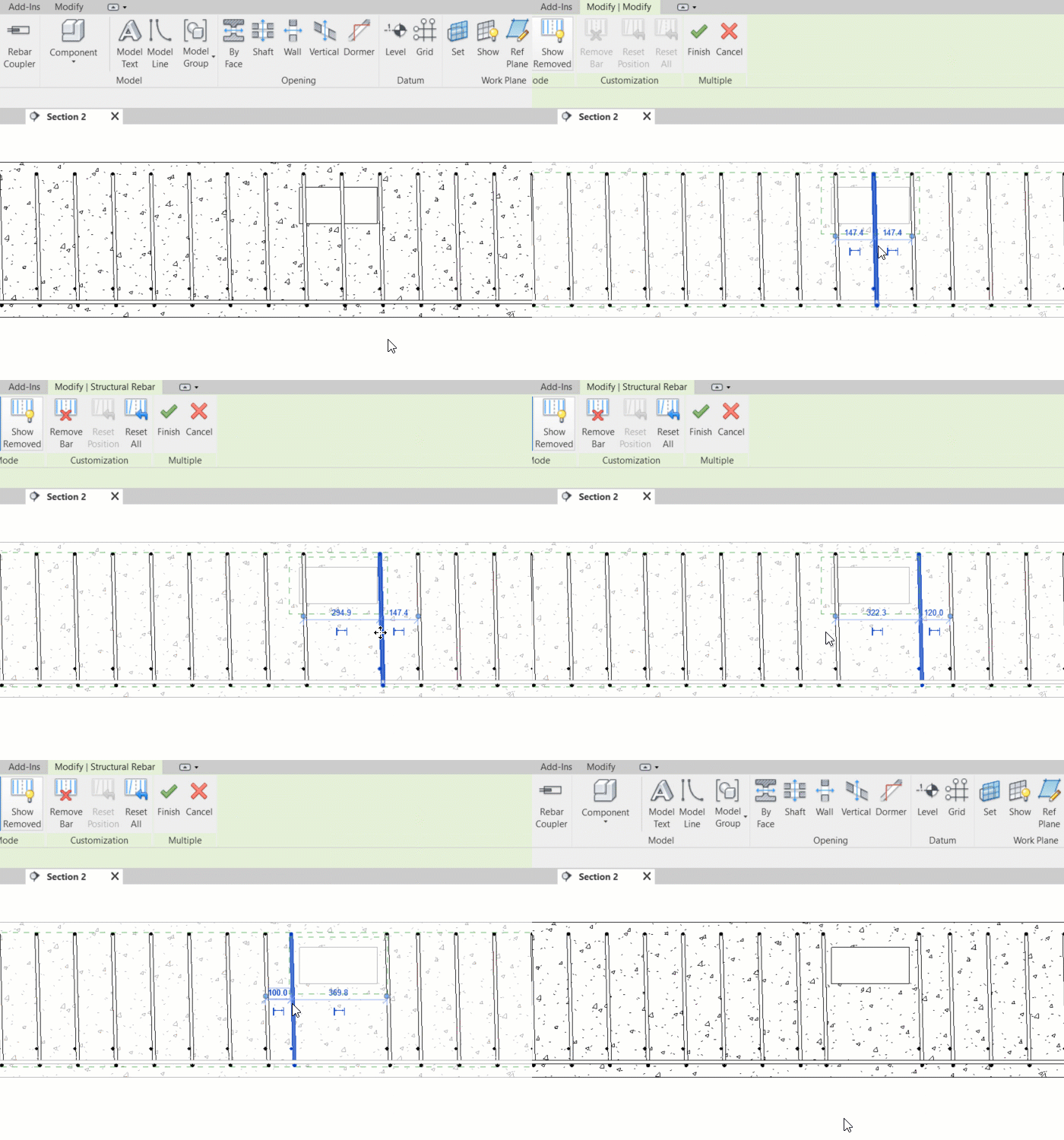
Move Rebar in a Set

Now you can remove or move rebars in a rebar set. Because Revit maintains the rebar relationships in that particular set, it simplifies the rebar modeling.
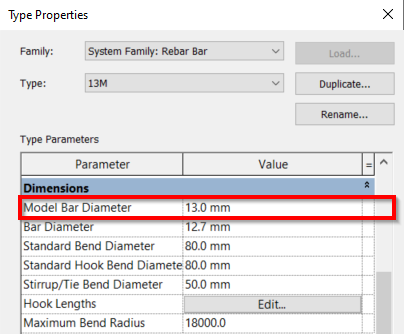
Model Rebar using the Real Bar Diameter

In the rebar type properties, now we have Model Bar Diameter. With this parameter, we can create a rebar with the real size. Particularly helpful when we do clash detection with large rebar size.
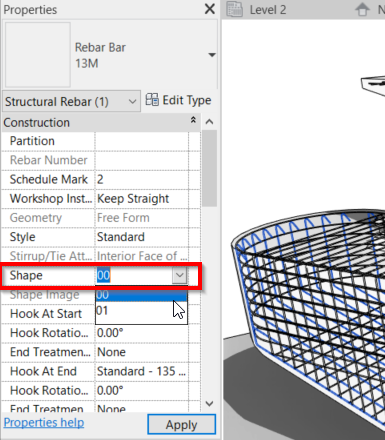
Select Shape Code for Custom Bent Free Form Rebar

Now we can change Free From Rebar with Shape Code. In older versions, only standard rebar shapes can use this shape code. It was disabled for Free From Rebar.
What do You Think?

Not much changed in the rebar feature. Rebar placement by two points is quite helpful, and it is my favorite enhancements in rebar. However, you might think one of the enhancements is what you’ve been waiting for.

Which one is your favorite?

Share the knowledge:

About Edwin Prakoso

I work as a Sr. Consultant in PT Cipta Satria Informatika. I've been using AutoCAD since R14 and Revit since Revit Building 9. I occasionally write for AUGIWorld magazine and I am also active in Autodesk discussion forum. I'm a member of Autodesk Expert Elite, an appreciation for individuals who give contributions to the Autodesk community.
Connect with me on twitter or LinkedIn.

Filed Under: Revit Tagged With: Revit 2022

0 0 votes
Article Rating
Subscribe
Login
Notify of
guest

guest

This site uses Akismet to reduce spam. Learn how your comment data is processed.

0 Comments

Featured

3 Things Orient to View in Revit can do for you

Revit orent to view tool might be overlooked. But it can be very helpful to help you work with large and complex models. Here are 3 benefits that you can get right now.

Recent Articles

  • Automation is not AI
  • BIM Doesn’t Fix Your Problems
  • BIM is Useful, Until It’s Not

Advertisement

New on CADnotes

  • Automation is not AI
  • BIM Doesn’t Fix Your Problems
  • BIM is Useful, Until It’s Not
  • AI-Powered Rendering Now Available in Forma Board
  • Autodesk Forma Is Not The New Name For ACC

Meet the Authors

avatar for
avatar for
avatar for
avatar for
avatar for
avatar for

Get Connected

CADnotes on FacebookCADnotes on InstagramCADnotes on TwitterCADnotes on YouTube

© 2009 – 2026 CADnotes · Feedback · Privacy Policy · Become an affiliate

In this Article...

×
  • Rebar Placement by Two Points
  • Move Rebar in a Set
  • Model Rebar using the Real Bar Diameter
  • Select Shape Code for Custom Bent Free Form Rebar
  • What do You Think?
→ In this article...
wpDiscuz