• Home
  • Training Books
  • Subscribe to Our Email Newsletter
  • About
    • Contributors
    • Feedback
    • Contact
    • Privacy policy
    • Cookie Policy
  • Bahasa Indonesia

CADnotes

CAD Tutorials and Best Practices for professionals and students

  • Featured
  • AutoCAD
    • AutoLISP
  • Revit
    • Revit Architecture Basic
    • Revit MEP Basic Tutorial
  • Inventor
  • MicroStation
    • MicroStation Basic Tutorial

What’s New in Revit 2023 part 5: Documentation

July 19, 2022 by Edwin Prakoso 1 Comment

let’s see the new features in annotation tools. Some interesting and useful enhancements can help with our documentation productivity.

What’s New in Revit 2023 part 4: Productivity Tools

May 11, 2022 by Edwin Prakoso 2 Comments

In part 4 of what’s new in Revit 2023, we cover the measure in 3D, pick a work plane, material enhancements, and more!

What’s New in Revit 2023 part 3: Interoperability

April 26, 2022 by Edwin Prakoso Leave a Comment

In this 3rd post, we review the Revit new features for file interoperability. Now you can cut elements from a CAD file!

What’s New in Revit 2023 part 2: More Structural Enhancements

April 13, 2022 by Edwin Prakoso Leave a Comment

More Revit 2023 enhancements for structure: steel connection automation, analytical model creation, and AISC v15 database. Revit really got some enhancements for structure!

What’s New in Revit 2023 part 1: Rebar Enhancements

April 8, 2022 by Edwin Prakoso 1 Comment

In this first part of what’s new in Revit 2023 series, I cover about rebar features. Great enhancements in this part!

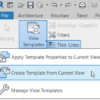
Using Revit View Template to Quickly Create a Schedule
March 18, 2022 by Edwin Prakoso Leave a Comment

You can use a view template to configure a schedule quickly. Because a schedule is a view!

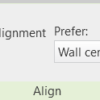
Automatic Lock When Aligning Elements in Revit
February 18, 2022 by Edwin Prakoso Leave a Comment

When you align many elements and need to lock them, clicking the lock symbol each time is very tedious and time consuming. You can lock them automatically when aligning the elements.

Revit 2019-2022 Supports Windows 11

December 8, 2021 by Edwin Prakoso 2 Comments

Last week Autodesk announced that Revit 2019 to 2022 supports Windows 11. You can see the announcement here: Autodesk Revit now supports Microsoft Windows 11. The Revit system requirements page is already updated to reflect this. Does it mean Autodesk released an update or hotfix to make Revit supports Windows 11? No. It means Autodesk […]

  • « Previous Page
  • 1
  • 2
  • 3
  • 4
  • 5
  • …
  • 28
  • Next Page »

Featured

Tool options

10+ Ways to Use AutoCAD Object Selection

Do you think selecting objects in AutoCAD is difficult? We show you 10+ ways to do it in this article!

Recent Articles

  • Placing Views on Sheet Efficiently with Saved Position
  • Autodesk Forma: One Platform to Rule the AEC Lifecycle
  • Accessing Autodesk Docs Files from Windows Explorer

Advertisement

New on CADnotes

  • Placing Views on Sheet Efficiently with Saved Position
  • Autodesk Forma: One Platform to Rule the AEC Lifecycle
  • Accessing Autodesk Docs Files from Windows Explorer
  • The Evolution of BIM: From 3D Models to Information Management
  • The Misconception of CAD to BIM

Meet the Authors

avatar for
avatar for
avatar for
avatar for
avatar for
avatar for

Get Connected

CADnotes on FacebookCADnotes on InstagramCADnotes on TwitterCADnotes on YouTube

© 2009 – 2026 CADnotes · Feedback · Privacy Policy · Become an affiliate