From our Revit Architecture tutorial series, in this step, you create a door schedule.
Defining Room and Room Legend
Room is one type of information you can add to your Revit model. That’s why we call it building information modeling (BIM). It’s not just lines and text. It can hold a lot of information in your building model. This time we will define rooms in our design, and create a room schedule. Let’s open […]
Working with Door and Window Tags
In this Revit tutorial, we will create a view for doors and windows plan. We will hide some details and add door and windows tags.
Creating Revit Family from 2D Drawings
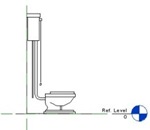
Do you need to create a complex Revit family? If you don’t need to show it in 3D, just make it 2D! It will appear in plan, elevation, section anyway.
Revit Annotations: Dimension
We have done with modeling our building for now. After we placed Revit components, now we can produce descent drawings. Well, we haven’t learn about curtain wall and site/topography which I plan to write later. But let’s have fun for a while. We are going to discuss about the other modeling technique in Revit later, […]
Introduction to Revit Components

We have finished with modeling our building. We created walls, floors, roof, staircase, railings, and ceiling. We can consider it finished, but we will add some objects from library to complete it. Nothing is hard about Revit components. At the first time, I didn’t intend to write about this and just let you explore about […]
Create Revit Levels using Array
I have wrote about creating new levels in Revit. It’s fine if you only have several levels. But what if you have 20 levels? or may be 50? Drawing each level in elevation view would be ridiculous. Even by picking lines it would be a tedious task. Why not create them using array? We know […]
Creating Floor Edge Slab and Custom Component
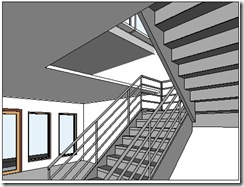
We have created ceiling in our Revit model. Now let’s take a look to our void in stair area. There is a gap between floor at 2nd story and 1st floor ceiling. In the real world, of course this is not right. We have to close it. There are several ways to do that, depends […]
- « Previous Page
- 1
- …
- 23
- 24
- 25
- 26
- 27
- 28
- Next Page »


