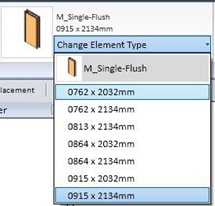
In previous Revit Family tutorial, we created a simple profile for our wall sweep. For 2D profile, in most cases, that’s all we need. But sometimes we need the same profile geometry, but in different sizes. Revit Family and Family Types Remember when we can select different door sizes? The Revit project template by default […]
Creating Profile Family
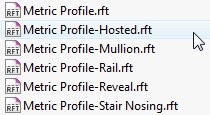
We are going to discuss about creating our own Revit families. As a start, we are going to create 2D family: profile. Profile is used in many other Revit families. We use profiles to create roof edges, floor slab edges, sweeps and reveals, mullions, stair nosing, and railings. It’s a basic stuff, but you will […]
Placing Curtain Wall
Curtain wall in Revit basically is a wall. It just use a different family type. Revit Architecture already has 3 curtain wall types. You can find them in type selector, after activating wall tool. The curtain wall type is a curtain wall with single panel. We need to define the grids and the mullions after […]
Vertical Compound Wall
We have defined the wall structure horizontally. Now we are going to make another wall type that define how is the wall defined vertically. Activate wall tool. We are going to make some modification to wall type we created in this tutorial. We are going to make a different type of wall for them. With […]
Rendering Your Model
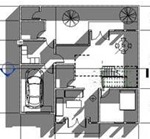
After we have finished creating a 3D model, then it is natural if we need to represent it in a nice photorealistic rendering image. We can do that in Revit, and we don’t need to be a master to produce a nice rendered image. Revit is included with mental ray rendering. It might not be […]
Creating Custom Schedule Field
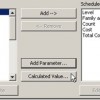
You have created door schedule before. Remember that now we have the ‘total cost’ column next to the count column? Sometimes we do want people who read this schedule know how much each unit costs. Not just the total. How can we show the unit cost and total cost together? Right click in your schedule […]
Playing With Revit Camera
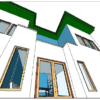
From our Revit tutorial series. In this step, you place camera to present your model
Placing Views to Sheet
From our Revit Architecture tutorial series. In this step, you prepare the sheets for printing.
- « Previous Page
- 1
- …
- 22
- 23
- 24
- 25
- 26
- …
- 28
- Next Page »


