
• Home
  • Training Books
  • Subscribe to Our Email Newsletter
  • About
    • Contributors
    • Feedback
    • Contact
    • Privacy policy
    • Cookie Policy
  • Bahasa Indonesia

CADnotes

CAD Tutorials and Best Practices for professionals and students

  • Featured
  • AutoCAD
    • AutoLISP
  • Revit
    • Revit Architecture Basic
    • Revit MEP Basic Tutorial
  • Inventor
  • MicroStation
    • MicroStation Basic Tutorial

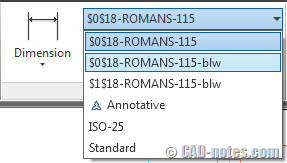
AutoCAD tip: Working with different measurement unit
September 8, 2011 by Edwin Prakoso 2 Comments

Do you wish you can work with different units in AutoCAD? See this trick. I can work with mm and inch on the same file!

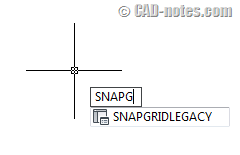
AutoCAD 2012: Legacy Snap to Grid
September 8, 2011 by Edwin Prakoso 1 Comment

Do you want to always enable snap to grid? AutoCAD 2012 remove this feature, and only enable it when AutoCAD asking for a point. Now you can have it back!

Task 7: Creating your reusable contents
September 7, 2011 by Edwin Prakoso 4 Comments

In this task to work better with AutoCAD, we explore all the possibilities to use blocks. We also cover the benefits of each possibilities.

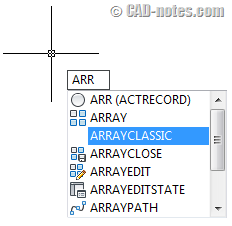
AutoCAD 2012: Array dialog box is back!
September 7, 2011 by Edwin Prakoso 15 Comments

Do you wish you have the old array dialog box back in AutoCAD 2012? You can have it now!

Task 6: Working with reusable contents
September 5, 2011 by Edwin Prakoso 2 Comments

In this task to work better with AutoCAD, you need to review your blocks and drawings. Do you think you can optimize them further?

Task 5: Saving and using AutoCAD templates

August 31, 2011 by Edwin Prakoso 1 Comment

Your 5th task to work with AutoCAD better. This time you have to save the template, then configure AutoCAD to use it as default. You also need to setup CAD standard.

Task 4: Setting up plot styles and page setups

August 29, 2011 by Edwin Prakoso 7 Comments

Work better with AutoCAD, the 4th task. You need to create plot styles and page setups here.

Task 3: Add styles to your templates

August 24, 2011 by Edwin Prakoso 5 Comments

3rd task in work with AutoCAD better. In this task we will add styles to our templates. Discuss it here!

  • « Previous Page
  • 1
  • …
  • 60
  • 61
  • 62
  • 63
  • 64
  • …
  • 105
  • Next Page »

Featured

What’s New in Revit 2023 part 5: Documentation

let’s see the new features in annotation tools. Some interesting and useful enhancements can help with our documentation productivity.

Recent Articles

  • AI-Powered Rendering Now Available in Forma Board
  • Autodesk Forma Is Not The New Name For ACC
  • Placing Views on Sheet Efficiently with Saved Position

Advertisement

New on CADnotes

  • AI-Powered Rendering Now Available in Forma Board
  • Autodesk Forma Is Not The New Name For ACC
  • Placing Views on Sheet Efficiently with Saved Position
  • Autodesk Forma: One Platform to Rule the AEC Lifecycle
  • Accessing Autodesk Docs Files from Windows Explorer

Meet the Authors

avatar for
avatar for
avatar for
avatar for
avatar for
avatar for

Get Connected

CADnotes on FacebookCADnotes on InstagramCADnotes on TwitterCADnotes on YouTube

© 2009 – 2026 CADnotes · Feedback · Privacy Policy · Become an affiliate