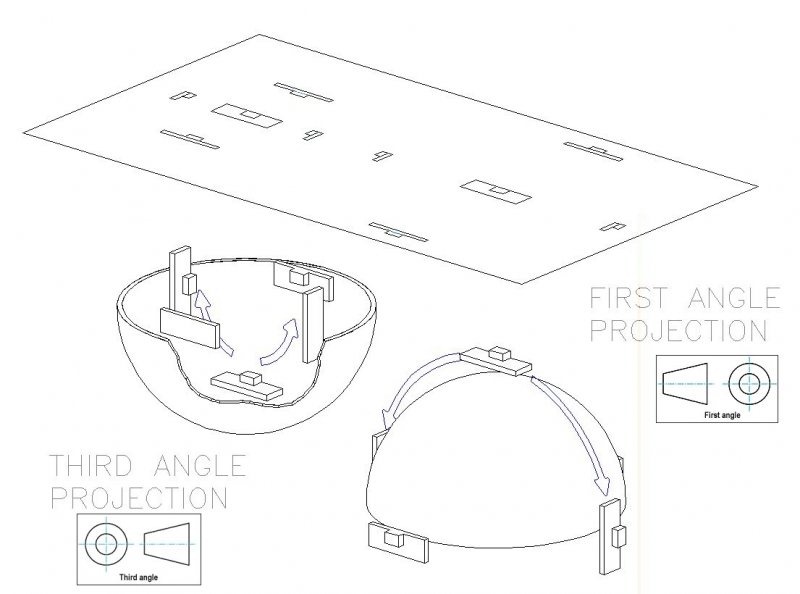
Very informative illustration on how we create 1st and 3rd angle projection. Thank you to Patrick Hughes for the heads up!
How to load AutoLISP program
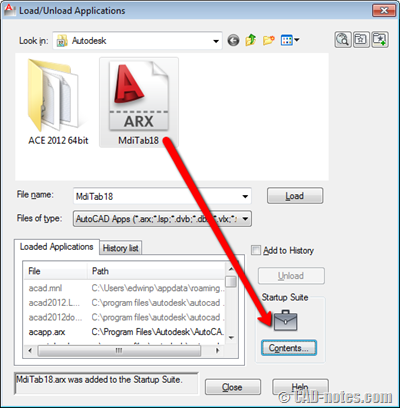
Do you want to load and use AutoLISP application? See this basic tutorial. The easiest way to do it.
AutoCAD tips: quickly switching between drawings
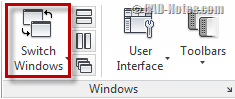
Do you think AutoCAD ribbon interface have you a hard time just to switch between drawings? See some alternatives to do it here.
10 days to work better with AutoCAD

This is a framework, checklist that you can use to improve AutoCAD workflow. You can use it as a new user, or to improve your workflow regularly. There are 10 tasks that you can do, to review and enhance your workflow.
How to: Publish AutoCAD layouts to multiple pdf file with single sheet
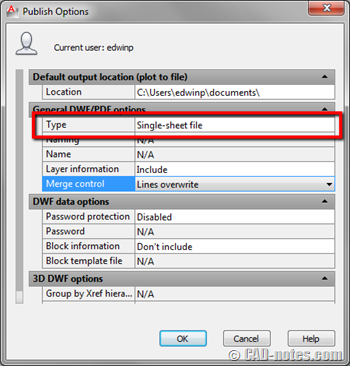
See where the option to change publish option from multi-sheet PDF/DWF to single-sheet file or vice versa.
Task 10: Using AutoCAD Customization

The last topic on Work Better with AutoCAD. In this topic, we review some customization options. From the simplest method: modify command alias, to programming. Feel free to add some more resources to learn customization here.
Task 9: Managing and sharing AutoCAD drawing files
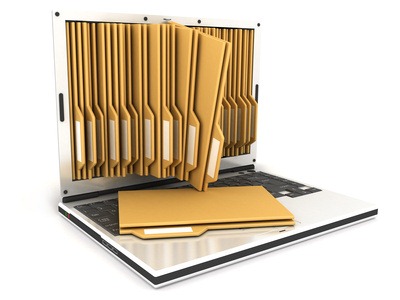
In this 9th task to work with AutoCAD better, let’s discuss how we can manage and share drawing files. You can use file sharing or even data management tools.
Do you know great AutoCAD tips? Submit to us!

We’re going to update 100 AutoCAD tips list. Submit yours to the list today!
- « Previous Page
- 1
- …
- 59
- 60
- 61
- 62
- 63
- …
- 105
- Next Page »


