• Home
  • Training Books
  • Subscribe to Our Email Newsletter
  • About
    • Contributors
    • Feedback
    • Contact
    • Privacy policy
    • Cookie Policy
  • Bahasa Indonesia

CADnotes

CAD Tutorials and Best Practices for professionals and students

  • Featured
  • AutoCAD
    • AutoLISP
  • Revit
    • Revit Architecture Basic
    • Revit MEP Basic Tutorial
  • Inventor
  • MicroStation
    • MicroStation Basic Tutorial

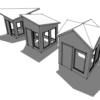
Creating Custom Slope Roof

September 28, 2022 by Edwin Prakoso Leave a Comment

You can use the slope arrow tool if your roof slope is not perpendicular to the roof boundary line.

What is the Difference Between BIM 360 and the Unified Platform?
September 16, 2022 by Edwin Prakoso Leave a Comment

What is the difference between the Unified Platform and BIM 360 Docs? Why Autodesk needs to rebrand their CDE?

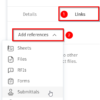
Adding Hyperlink in Autodesk Docs File
September 2, 2022 by Edwin Prakoso Leave a Comment

Yes, we add hyperlink in a file to refer to another file, sheet, submittals, or RFI!

What’s New in Revit 2023 part 5: Documentation

July 19, 2022 by Edwin Prakoso 1 Comment

let’s see the new features in annotation tools. Some interesting and useful enhancements can help with our documentation productivity.

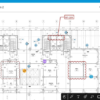
Autodesk Docs Users Now Can Use the Mobile App
May 27, 2022 by Edwin Prakoso Leave a Comment

Autodesk Docs, BIM Collaborate, and BIM Collaborate Pro users now can use mobile app

What’s New in Revit 2023 part 4: Productivity Tools

May 11, 2022 by Edwin Prakoso 2 Comments

In part 4 of what’s new in Revit 2023, we cover the measure in 3D, pick a work plane, material enhancements, and more!

What’s New in Revit 2023 part 3: Interoperability

April 26, 2022 by Edwin Prakoso Leave a Comment

In this 3rd post, we review the Revit new features for file interoperability. Now you can cut elements from a CAD file!

What’s New in Revit 2023 part 2: More Structural Enhancements

April 13, 2022 by Edwin Prakoso Leave a Comment

More Revit 2023 enhancements for structure: steel connection automation, analytical model creation, and AISC v15 database. Revit really got some enhancements for structure!

  • « Previous Page
  • 1
  • …
  • 3
  • 4
  • 5
  • 6
  • 7
  • …
  • 105
  • Next Page »

Featured

10 Reasons to Use AutoCAD Layout

AutoCAD layout brings many benefits. It simplify, represent, manage and automate your drawings. See 10 reasons why you should use it here.

Recent Articles

  • Placing Views on Sheet Efficiently with Saved Position
  • Autodesk Forma: One Platform to Rule the AEC Lifecycle
  • Accessing Autodesk Docs Files from Windows Explorer

Advertisement

New on CADnotes

  • Placing Views on Sheet Efficiently with Saved Position
  • Autodesk Forma: One Platform to Rule the AEC Lifecycle
  • Accessing Autodesk Docs Files from Windows Explorer
  • The Evolution of BIM: From 3D Models to Information Management
  • The Misconception of CAD to BIM

Meet the Authors

avatar for
avatar for
avatar for
avatar for
avatar for
avatar for

Get Connected

CADnotes on FacebookCADnotes on InstagramCADnotes on TwitterCADnotes on YouTube

© 2009 – 2026 CADnotes · Feedback · Privacy Policy · Become an affiliate