• Home
  • Training Books
  • Subscribe to Our Email Newsletter
  • About
    • Contributors
    • Feedback
    • Contact
    • Privacy policy
    • Cookie Policy
  • Bahasa Indonesia

CADnotes

CAD Tutorials and Best Practices for professionals and students

  • Featured
  • AutoCAD
    • AutoLISP
  • Revit
    • Revit Architecture Basic
    • Revit MEP Basic Tutorial
  • Inventor
  • MicroStation
    • MicroStation Basic Tutorial

Working faster with AutoCAD hatch

September 11, 2013 by Edwin Prakoso 20 Comments

We use hatch pattern in almost all of our drawings. But sometimes working with hatch can be very slow and annoying. Here are some tips if you think working with hatch is very slow.

How to set default program to open DWG file

September 3, 2013 by Edwin Prakoso 4 Comments

Which program will open DWG file by default? If you have several Autodesk products on your machine, you might want to change it! Check how you can do it here.

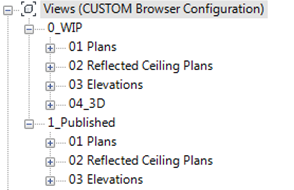
How to: Organize your Revit project browser
August 30, 2013 by Edwin Prakoso Leave a Comment

Your views in Project Browser look messy? Try this tip from David Light to organize your views in Project Browser!

How to get support for your CAD software

August 28, 2013 by Edwin Prakoso Leave a Comment

Do you have problem with AutoCAD, Revit or other Autodesk software? How can you find the solution? Let’s read our tip here to quickly find the answer!

How to create PDF from AutoCAD drawings

August 22, 2013 by Edwin Prakoso 25 Comments

Create PDF

Do you need to create PDF file from AutoCAD drawings? Do you need it as single sheet or multi sheet PDF? We cover several methods that you can use!

Layer states are not saved in an AutoCAD session

August 20, 2013 by Edwin Prakoso 7 Comments

You turn off/freeze XREF layers and save the drawing. But when you open the drawing again, the layers are still on. What went wrong?

Activation problem for Autodesk 2014 products

August 12, 2013 by Edwin Prakoso Leave a Comment

Does your AutoCAD 2014 or other Autodesk products crash when you activate it? These are common issues that might cause it.

Revit basic tip: Selecting objects

August 5, 2013 by Edwin Prakoso 6 Comments

cross window selection

Do you have problem when selecting objects in Revit model? Try to read our 7 ways to select objects in Revit here.

  • « Previous Page
  • 1
  • …
  • 42
  • 43
  • 44
  • 45
  • 46
  • …
  • 105
  • Next Page »

Featured

6 SHIFT Key Combination You Might Not Know

AutoCAD has several key combinations that will help you to access more options/tools easily. This article has 6 shift key combinations that you can use!

Recent Articles

  • AI-Powered Rendering Now Available in Forma Board
  • Autodesk Forma Is Not The New Name For ACC
  • Placing Views on Sheet Efficiently with Saved Position

Advertisement

New on CADnotes

  • AI-Powered Rendering Now Available in Forma Board
  • Autodesk Forma Is Not The New Name For ACC
  • Placing Views on Sheet Efficiently with Saved Position
  • Autodesk Forma: One Platform to Rule the AEC Lifecycle
  • Accessing Autodesk Docs Files from Windows Explorer

Meet the Authors

avatar for
avatar for
avatar for
avatar for
avatar for
avatar for

Get Connected

CADnotes on FacebookCADnotes on InstagramCADnotes on TwitterCADnotes on YouTube

© 2009 – 2026 CADnotes · Feedback · Privacy Policy · Become an affiliate