• Home
  • Training Books
  • Subscribe to Our Email Newsletter
  • About
    • Contributors
    • Feedback
    • Contact
    • Privacy policy
    • Cookie Policy
  • Bahasa Indonesia

CADnotes

CAD Tutorials and Best Practices for professionals and students

  • Featured
  • AutoCAD
    • AutoLISP
  • Revit
    • Revit Architecture Basic
    • Revit MEP Basic Tutorial
  • Inventor
  • MicroStation
    • MicroStation Basic Tutorial

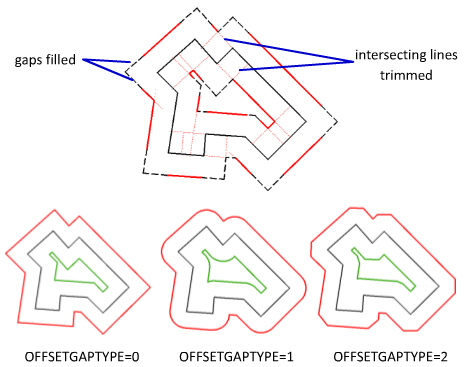
Do I have options to control OFFSET result?
June 10, 2013 by Edwin Prakoso Leave a Comment

I want my offset result is chamfered or filleted. Can I control the result? Certainly! See how you can control it here.

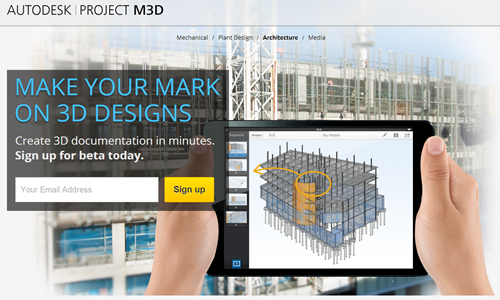
Project M3D is calling for beta tester
May 30, 2013 by Edwin Prakoso 1 Comment

Project M3D

Are you interested to try mobile app to view, edit and markup 3D models? Sign up now for free!

Have problem downloading your Autodesk products?

May 27, 2013 by Edwin Prakoso 21 Comments

Download files

Do you have problem downloading trials or downloading your products? Have you explore all available options?

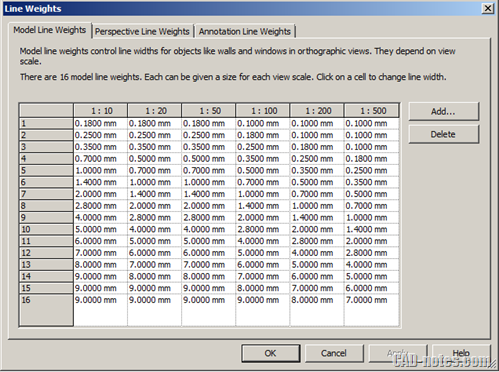
Controlling plot thickness in Revit
May 21, 2013 by Edwin Prakoso 2 Comments

How can we control visibility and plot thickness in Revit? Read about object styles, visibility/graphics override, filters and view template here!

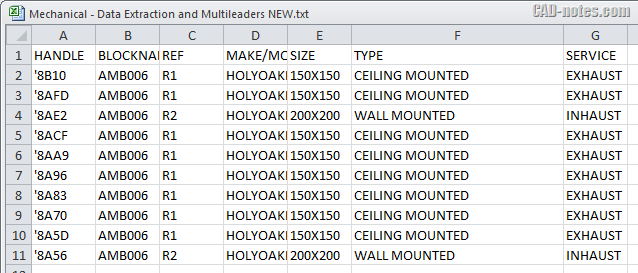
How to: Edit block attributes in Microsoft Excel
May 16, 2013 by Edwin Prakoso 19 Comments

Do you need to modify many attributes in your AutoCAD drawing? If you wish you can edit them in Microsoft Excel, you can read how to do it here.

Revit 2014 enhancements are available

May 7, 2013 by Edwin Prakoso Leave a Comment

Revit enhancements from subscription center

If you have been waiting for Revit 2014 enhancements, now you can download them from Autodesk Subscription Center and from Exchange Apps store.

How to install AutoCAD 2014 without Autodesk 360

May 3, 2013 by Edwin Prakoso 2 Comments

Setup computer

This is a tip if you want to install AutoCAD 2014 without installing Autodesk 360. Don’t remove it after it’s installed, it will cause some issues.

Set sun and sky in camera view

April 29, 2013 by Edwin Prakoso 2 Comments

Adjust sun and sky properties

Sometimes when you change view, your rendering result become black. What is wrong with the settings? Let’s see how you can save sun & sky setting, so this won’t happen again!

  • « Previous Page
  • 1
  • …
  • 44
  • 45
  • 46
  • 47
  • 48
  • …
  • 105
  • Next Page »

Featured

aseptic tank

Easy Design with Master Skeleton Concept in Inventor

Are you familiar with master skeleton design concept in Inventor? Read how to do it in our tutorial here! From sketches to complete assembly.

Recent Articles

  • BIM Doesn’t Fix Your Problems
  • BIM is Useful, Until It’s Not
  • AI-Powered Rendering Now Available in Forma Board

Advertisement

New on CADnotes

  • BIM Doesn’t Fix Your Problems
  • BIM is Useful, Until It’s Not
  • AI-Powered Rendering Now Available in Forma Board
  • Autodesk Forma Is Not The New Name For ACC
  • Placing Views on Sheet Efficiently with Saved Position

Meet the Authors

avatar for
avatar for
avatar for
avatar for
avatar for
avatar for

Get Connected

CADnotes on FacebookCADnotes on InstagramCADnotes on TwitterCADnotes on YouTube

© 2009 – 2026 CADnotes · Feedback · Privacy Policy · Become an affiliate