Do you need to have different view range in your floor plan? Sometimes you need it because your components placed out of range of your default view range. This is how you can create it!
AutoCAD 2015 Geolocation Online Map hotfix

Autodesk has released hotfix to fix AutoCAD issue with Bing map not downloading, when you use Geolocation tool.
This is why Revit 2015 content libraries takes a long time to install

Revit 2015 contents library takes forever when you install Revit. Or it’s probably not available. This is why and the workaround to install it.
One AutoCAD dimension style, different appearances

You can have one AutoCAD dimension style to show different appearances. It can be different in linear and radial dimension, automatically!
Survey result: AutoCAD 2015 most loved and most hated feature

So what is the most loved feature in AutoCAD 2015? And what is the feature that you don’t like the most? Find out the poll result here!
Complete our challenges to work better with AutoCAD!

Learning AutoCAD is not only about knowing all the features. You need to know to to work effectively with it, and they don’t teach it in school or training classes. You can learn with us here!
Work Better with AutoCAD | challenge 7: Evaluate your progress

You have completed 6 challenges to work better with AutoCAD. Now it’s time to evaluate your progress after completing the challenges. Is there are any area that you can improve?
AutoCAD doesn’t show linetype on hatches
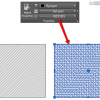
Since AutoCAD 2015, hatches are no longer use linetype. You need to change a system variable to make it work like before.
- « Previous Page
- 1
- …
- 34
- 35
- 36
- 37
- 38
- …
- 106
- Next Page »


