• Home
  • Training Books
  • Subscribe to Our Email Newsletter
  • About
    • Contributors
    • Feedback
    • Contact
    • Privacy policy
    • Cookie Policy
  • Bahasa Indonesia

CADnotes

CAD Tutorials and Best Practices for professionals and students

  • Featured
  • AutoCAD
    • AutoLISP
  • Revit
    • Revit Architecture Basic
    • Revit MEP Basic Tutorial
  • Inventor
  • MicroStation
    • MicroStation Basic Tutorial

Work Better with AutoCAD | Challenge 4 – Customization

September 2, 2014 by Edwin Prakoso 13 Comments

In this 4th challenge to work better with AutoCAD, you will customize AutoCAD to allow you working faster.

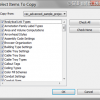
Create your own AutoCAD pattern easily
August 27, 2014 by Edwin Prakoso 17 Comments

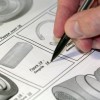
Do you need to create a custom AutoCAD hatch pattern? This is an easy way to create the pattern graphically, just draw it and then save it!

Work Better with AutoCAD | Challenge 3: Reusable content
August 20, 2014 by Edwin Prakoso 10 Comments

In this week Work Better with AutoCAD challenge, you will create reusable content: AutoCAD Block. You have chance to win an e-book just to participate in this challenge. Or win a grand prize after all challenges are given!

Have you been involved in Work Better with AutoCAD challenges?

August 18, 2014 by Edwin Prakoso 2 Comments

We already have two challenges in Work Better with AutoCAD series. Have you been involved in the discussions? Let’s help each other to be productive!

Work Better with AutoCAD | Challenge 2: Template

August 14, 2014 by Edwin Prakoso 13 Comments

engineering drawing

After completing the 1st challenge, this week you will work with templates. Our goal is to reduce repetitive tasks.

Work Better with AutoCAD | Challenge 1: Preparation

August 7, 2014 by Edwin Prakoso 38 Comments

In your 1st challenge to Work Better with AutoCAD, you will do some preparations. This is important for upcoming challenges. So complete and discuss it with us!

We will start Work Better with AutoCAD next week!

July 30, 2014 by Edwin Prakoso 6 Comments

If you want to work better with AutoCAD, don’t miss our challenges. We will start the first challenge next week! If you are active in the discussions, you are eligible to win our prizes!

Create your own magic button to restore AutoCAD layers and styles

July 23, 2014 by Edwin Prakoso 4 Comments

Do you want to restore all objects from AutoCAD templates after purge them? You can do it by one click on this magic button!

  • « Previous Page
  • 1
  • …
  • 35
  • 36
  • 37
  • 38
  • 39
  • …
  • 105
  • Next Page »

Featured

What’s New in Revit 2021 – part 2: Architecture

See what’s new in Revit 2021 for architectural discipline. There is a long-waited feature: the slanted wall! What else?

Recent Articles

  • AI-Powered Rendering Now Available in Forma Board
  • Autodesk Forma Is Not The New Name For ACC
  • Placing Views on Sheet Efficiently with Saved Position

Advertisement

New on CADnotes

  • AI-Powered Rendering Now Available in Forma Board
  • Autodesk Forma Is Not The New Name For ACC
  • Placing Views on Sheet Efficiently with Saved Position
  • Autodesk Forma: One Platform to Rule the AEC Lifecycle
  • Accessing Autodesk Docs Files from Windows Explorer

Meet the Authors

avatar for
avatar for
avatar for
avatar for
avatar for
avatar for

Get Connected

CADnotes on FacebookCADnotes on InstagramCADnotes on TwitterCADnotes on YouTube

© 2009 – 2026 CADnotes · Feedback · Privacy Policy · Become an affiliate