• Home
  • Training Books
  • Subscribe to Our Email Newsletter
  • About
    • Contributors
    • Feedback
    • Contact
    • Privacy policy
    • Cookie Policy
  • Bahasa Indonesia

CADnotes

CAD Tutorials and Best Practices for professionals and students

  • Featured
  • AutoCAD
    • AutoLISP
  • Revit
    • Revit Architecture Basic
    • Revit MEP Basic Tutorial
  • Inventor
  • MicroStation
    • MicroStation Basic Tutorial

Stair by Sketch in Revit 2018

June 6, 2017 by Edwin Prakoso 3 Comments

The Stair by Sketch icon is no longer available in Revit 2018. But you still can create a stair by drawing sketch. Read how to do it here.

AutoCAD Basic: Using AutoCAD Page Setup

June 4, 2017 by Edwin Prakoso 4 Comments

Learn how to create an AutoCAD page setup and how to create and place a title block with perfect size!

Reminder: Install AutoCAD 2018.0.2 Update Before June 1!
June 3, 2017 by Edwin Prakoso 4 Comments

If you installed AutoCAD 2018.0.1 update, you need to install the latest update immediately. Or you can’t use your product after June 1, 2017!

Infographics: 10 AutoCAD Features to Boost Your Productivity

June 3, 2017 by Edwin Prakoso 1 Comment

This infographics shows 10 essential AutoCAD features that you should try to improve your productivity.

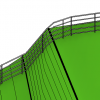
Revit 2018: Railing improvements
May 19, 2017 by Edwin Prakoso Leave a Comment

Revit 2018 has some nice enhancements in the railing feature. The enhancements make working with railing more fun!

AutoCAD Essentials: 27 CADnotes Best Tutorials and Tips

May 17, 2017 by Edwin Prakoso 2 Comments

This compilation list 27 tutorials, tips and trick that CADnotes published in the last 8 years. A great place to start if you want to learn advanced features or learn new cool tricks! And it’s free!

Autodesk Continues to Discontinue more Products

May 12, 2017 by Edwin Prakoso 1 Comment

It’s quite a surprise that Autodesk has terminated several big products this year. Are you affected? Share your experience with us!

Revit 2018: Multistory Stairs

May 10, 2017 by Edwin Prakoso 1 Comment

Learn how you can use the new Revit 2018 multistory stair. It is much easier than in the previous version!

  • « Previous Page
  • 1
  • …
  • 19
  • 20
  • 21
  • 22
  • 23
  • …
  • 104
  • Next Page »

Featured

How to: Selectively Select Objects in Revit

Revit model usually is not as complicated as an AutoCAD drawing. You can select objects easier before you modify it. However, in a complex model, you need a method to select multiple objects faster. You want to select them based on specific properties. For example, you want to select all walls with a specific type. Or you want to select all walls with a specific function.
We cover different methods in this article that you can use.

Recent Articles

  • Accessing Autodesk Docs Files from Windows Explorer
  • The Evolution of BIM: From 3D Models to Information Management
  • The Misconception of CAD to BIM

Advertisement

New on CADnotes

  • Accessing Autodesk Docs Files from Windows Explorer
  • The Evolution of BIM: From 3D Models to Information Management
  • The Misconception of CAD to BIM
  • Revit Pattern Alignment
  • Why BIM Dimensions (3D, 4D, 5D) Are No Longer Relevant

Meet the Authors

avatar for
avatar for
avatar for
avatar for
avatar for
avatar for

Get Connected

CADnotes on FacebookCADnotes on InstagramCADnotes on TwitterCADnotes on YouTube

© 2009 – 2026 CADnotes · Feedback · Privacy Policy · Become an affiliate