• Home
  • Training Books
  • Subscribe to Our Email Newsletter
  • About
    • Contributors
    • Feedback
    • Contact
    • Privacy policy
    • Cookie Policy
  • Bahasa Indonesia

CADnotes

CAD Tutorials and Best Practices for professionals and students

  • Featured
  • AutoCAD
    • AutoLISP
  • Revit
    • Revit Architecture Basic
    • Revit MEP Basic Tutorial
  • Inventor
  • MicroStation
    • MicroStation Basic Tutorial

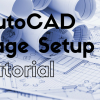
AutoCAD Basic: Using AutoCAD Page Setup
June 4, 2017 by Edwin Prakoso 4 Comments

Learn how to create an AutoCAD page setup and how to create and place a title block with perfect size!

Reminder: Install AutoCAD 2018.0.2 Update Before June 1!
June 3, 2017 by Edwin Prakoso 4 Comments

If you installed AutoCAD 2018.0.1 update, you need to install the latest update immediately. Or you can’t use your product after June 1, 2017!

Infographics: 10 AutoCAD Features to Boost Your Productivity

June 3, 2017 by Edwin Prakoso 1 Comment

This infographics shows 10 essential AutoCAD features that you should try to improve your productivity.

Revit 2018: Railing improvements
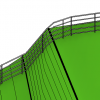
May 19, 2017 by Edwin Prakoso Leave a Comment

Revit 2018 has some nice enhancements in the railing feature. The enhancements make working with railing more fun!

AutoCAD Essentials: 27 CADnotes Best Tutorials and Tips

May 17, 2017 by Edwin Prakoso 3 Comments

This compilation list 27 tutorials, tips and trick that CADnotes published in the last 8 years. A great place to start if you want to learn advanced features or learn new cool tricks! And it’s free!

Autodesk Continues to Discontinue more Products

May 12, 2017 by Edwin Prakoso 1 Comment

It’s quite a surprise that Autodesk has terminated several big products this year. Are you affected? Share your experience with us!

Revit 2018: Multistory Stairs

May 10, 2017 by Edwin Prakoso 1 Comment

Learn how you can use the new Revit 2018 multistory stair. It is much easier than in the previous version!

Free e-book: Working with AutoCAD Annotation Scaling

May 4, 2017 by Edwin Prakoso Leave a Comment

To celebrate CADnotes 8th anniversary, we provide this e-book for all readers. It is free. It covers how Annotation Scaling works and how to use it. We hope you will like it!

  • « Previous Page
  • 1
  • …
  • 20
  • 21
  • 22
  • 23
  • 24
  • …
  • 105
  • Next Page »

Featured

Engineers in planning meeting

Work Better with AutoCAD | challenge 6: Plan your drawing!

In this Work Better with AutoCAD challenge, Paul Munford shares how to plan your drawing. With good planning, you can complete the drawing effectively!

Recent Articles

  • Automation is not AI
  • BIM Doesn’t Fix Your Problems
  • BIM is Useful, Until It’s Not

Advertisement

New on CADnotes

  • Automation is not AI
  • BIM Doesn’t Fix Your Problems
  • BIM is Useful, Until It’s Not
  • AI-Powered Rendering Now Available in Forma Board
  • Autodesk Forma Is Not The New Name For ACC

Meet the Authors

avatar for
avatar for
avatar for
avatar for
avatar for
avatar for

Get Connected

CADnotes on FacebookCADnotes on InstagramCADnotes on TwitterCADnotes on YouTube

© 2009 – 2026 CADnotes · Feedback · Privacy Policy · Become an affiliate