• Home
  • Training Books
  • Subscribe to Our Email Newsletter
  • About
    • Contributors
    • Feedback
    • Contact
    • Privacy policy
    • Cookie Policy

CADnotes

CAD Tutorials and Best Practices for professionals and students

  • Featured
  • AutoCAD
    • AutoLISP
  • Revit
    • Revit Architecture Basic
    • Revit MEP Basic Tutorial
  • Inventor
  • MicroStation
    • MicroStation Basic Tutorial
You are here: Home / Others / Autodesk General / A360 Drive is no longer available for free

A360 Drive is no longer available for free

September 12, 2019 by Edwin Prakoso Leave a Comment

Autodesk customers have been using A360 drive for a while now. Autodesk offered 5GB storage for a free account.

Autodesk decided to stop providing it for free. As announced on the Autodesk website: https://a360.autodesk.com/a360-drive-update/
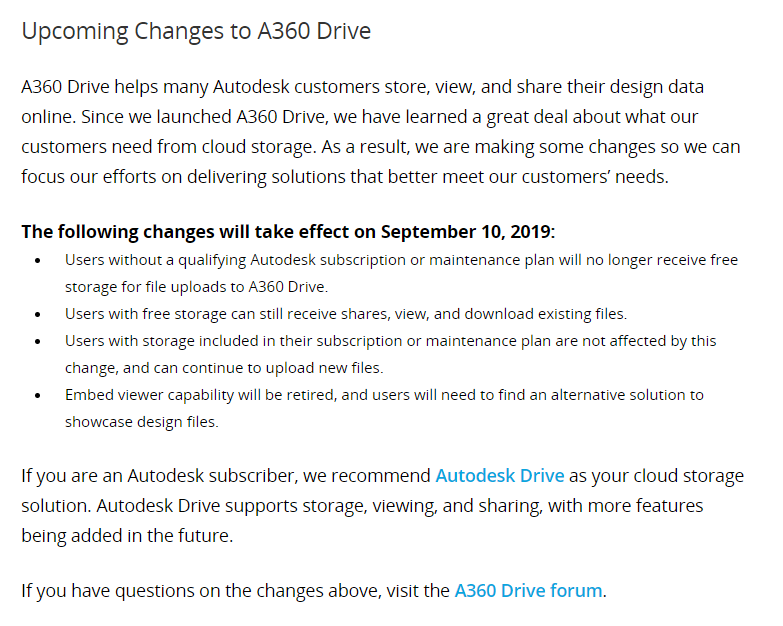
If you are a subscription customer, then this doesn’t affect you. But if you use free A360 storage, you need to find another cloud storage such as Dropbox or OneDrive.

About Edwin Prakoso

I work as a Sr. Consultant in PT Cipta Satria Informatika. I've been using AutoCAD since R14 and Revit since Revit Building 9. I occasionally write for AUGIWorld magazine and I am also active in Autodesk discussion forum. I'm a member of Autodesk Expert Elite, an appreciation for individuals who give contributions to the Autodesk community.
Connect with me on twitter or LinkedIn.

Filed Under: Autodesk General

0 0 votes
Article Rating
Subscribe
Login
Notify of
guest

guest

This site uses Akismet to reduce spam. Learn how your comment data is processed.

0 Comments
Inline Feedbacks
View all comments

Featured

6 Things AutoCAD Command Line Can Do for You (Infographics)

AutoCAD Command Line is the most important feature in AutoCAD. Veteran users can use two hands (one on the keyboard and the other using mouse) and draw very quickly. It is faster than relying on the GUI only.

The new users probably using GUI more than older users like me. They prefer the Ribbon and use the Command Line less. 

In this post, you can see 6 things AutoCAD Command Line can do to make your life easier. You don’t have to use them all, but at least you know it can be done. If you think it’s good, use it. But if you don’t like it, leave it.

Recent Articles

  • Autodesk Construction Cloud Activity Log
  • Exporting AutoCAD Plant 3D Model to Navisworks
  • Autodesk Data Connector for Power BI is Now Available

Advertisement

New on CADnotes

  • Autodesk Construction Cloud Activity Log
  • Exporting AutoCAD Plant 3D Model to Navisworks
  • Autodesk Data Connector for Power BI is Now Available
  • Autodesk Forma Design Contest
  • Revit 2025: Toposolid Enhancements

Meet the Authors

avatar for
avatar for
avatar for
avatar for
avatar for
avatar for

Get Connected

CADnotes on FacebookCADnotes on InstagramCADnotes on TwitterCADnotes on YouTube

© 2009 – 2025 CADnotes · Feedback · Privacy Policy · Become an affiliate

wpDiscuz