• Home
  • Training Books
  • Subscribe to Our Email Newsletter
  • About
    • Contributors
    • Feedback
    • Contact
    • Privacy policy
    • Cookie Policy
  • Bahasa Indonesia

CADnotes

CAD Tutorials and Best Practices for professionals and students

  • Featured
  • AutoCAD
    • AutoLISP
  • Revit
    • Revit Architecture Basic
    • Revit MEP Basic Tutorial
  • Inventor
  • MicroStation
    • MicroStation Basic Tutorial

Removing Revit View Name Prefix with Dynamo
July 27, 2020 by Edwin Prakoso Leave a Comment

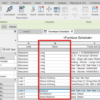
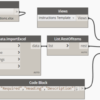
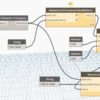
You can remove the prefix in the Revit view name then put the value in the Title on Sheet parameter. In this article, you will see how to automatize the process using Dynamo. An example of practical use of Dynamo: To modify parameters.

Revit 2021.1 New Switch View Shortcut Behavior
July 24, 2020 by Edwin Prakoso Leave a Comment

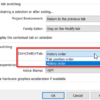
A new option in Revit 2021.1 update: Switch view tab order based on history!

30 Tips and Tricks to Work Better with Revit
May 28, 2020 by Edwin Prakoso 5 Comments

Revit is pretty straightforward to use. But it doesn’t mean that we can’t find something new to increase our productivity. Either you are new to Revit, or already use it for years, there are always new things we can learn!

What’s New in Revit 2021 – Part 3: Structure

April 13, 2020 by Edwin Prakoso Leave a Comment

See what’s new in Revit 2021 in structural discipline. We have some exciting enhancements in this area!

What’s New in Revit 2021 – part 2: Architecture

April 11, 2020 by Edwin Prakoso Leave a Comment

See what’s new in Revit 2021 for architectural discipline. There is a long-waited feature: the slanted wall! What else?

What’s New in Revit 2021 – part 1: General Enhancements

April 9, 2020 by Edwin Prakoso Leave a Comment

Revit 2021 has been released! See what’s new in part 1. More to come!

What’s New in AutoCAD 2021?

March 30, 2020 by Edwin Prakoso 7 Comments

Autodesk released AutoCAD 2021. What’s new? Is there something that you expected? Find out here.

Revit Tips: Optimizing Keyboard Shortcut

March 23, 2020 by Edwin Prakoso Leave a Comment

keyboard shortcuts

Using Revit Shortcuts will help you to work faster. You can also change the shortcuts to fit your preference.

  • « Previous Page
  • 1
  • …
  • 9
  • 10
  • 11
  • 12
  • 13
  • …
  • 104
  • Next Page »

Featured

6 Reasons Why You Should Pay More Attention to AutoCAD Command Line

AutoCAD Command Line is an essential feature in AutoCAD. It does not just allow you to work faster, but you can find some gems there!

Recent Articles

  • Accessing Autodesk Docs Files from Windows Explorer
  • The Evolution of BIM: From 3D Models to Information Management
  • The Misconception of CAD to BIM

Advertisement

New on CADnotes

  • Accessing Autodesk Docs Files from Windows Explorer
  • The Evolution of BIM: From 3D Models to Information Management
  • The Misconception of CAD to BIM
  • Revit Pattern Alignment
  • Why BIM Dimensions (3D, 4D, 5D) Are No Longer Relevant

Meet the Authors

avatar for
avatar for
avatar for
avatar for
avatar for
avatar for

Get Connected

CADnotes on FacebookCADnotes on InstagramCADnotes on TwitterCADnotes on YouTube

© 2009 – 2026 CADnotes · Feedback · Privacy Policy · Become an affiliate