• Home
  • Training Books
  • Subscribe to Our Email Newsletter
  • About
    • Contributors
    • Feedback
    • Contact
    • Privacy policy
    • Cookie Policy
  • Bahasa Indonesia

CADnotes

CAD Tutorials and Best Practices for professionals and students

  • Featured
  • AutoCAD
    • AutoLISP
  • Revit
    • Revit Architecture Basic
    • Revit MEP Basic Tutorial
  • Inventor
  • MicroStation
    • MicroStation Basic Tutorial

Renumbering Elements Mark in Revit

March 3, 2023 by Edwin Prakoso Leave a Comment

In a BIM model, providing the information is essential. Mark is a field that we often use for delivering information—for example, door number mark. Revit automatically increments the mark numbering. However, sometimes we need to change the number. Adding prefixes/suffixes, providing the level number, changing the numbering sequence, etc. It is a tedious task, and […]

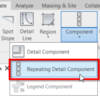
Creating Tile Roof Section Detail
February 21, 2023 by Edwin Prakoso Leave a Comment

Learn how you can use repeating detail components in Revit to quickly add detailed drawings in Revit.

Using Revit Family for InfraWorks Parametric Component

February 7, 2023 by Edwin Prakoso Leave a Comment

Since InfraWorks 2023.1 you can import parametric components from a Revit family. Good news for the AEC Collection subscribers!

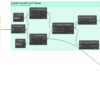
Dynamo Tutorial: Creating Levels using Excel File
December 20, 2022 by Edwin Prakoso 1 Comment

In this tutotial you learn how to leverage Excel capabilities to create levels in Revit. The automation is using Dynamo.

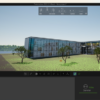
Twinmotion is Now Available for Revit Users
November 23, 2022 by Edwin Prakoso 3 Comments

This real-time rendering tool is now available for Revit users

Creating Spanish Roof Pattern in Revit
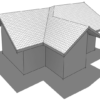
October 19, 2022 by Edwin Prakoso 1 Comment

Step-by-step tutorial to create Spanish tile roof pattern in Revit.

Creating Custom Slope Roof
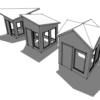
September 28, 2022 by Edwin Prakoso Leave a Comment

You can use the slope arrow tool if your roof slope is not perpendicular to the roof boundary line.

What’s New in Revit 2023 part 5: Documentation

July 19, 2022 by Edwin Prakoso 1 Comment

let’s see the new features in annotation tools. Some interesting and useful enhancements can help with our documentation productivity.

  • « Previous Page
  • 1
  • 2
  • 3
  • 4
  • …
  • 28
  • Next Page »

Featured

10 Reasons to Use AutoCAD Layout

AutoCAD layout brings many benefits. It simplify, represent, manage and automate your drawings. See 10 reasons why you should use it here.

Recent Articles

  • Why BIM Dimensions (3D, 4D, 5D) Are No Longer Relevant
  • Bridge: Controlled Data Sharing Between Stakeholders
  • Autodesk Construction Cloud Evolution

Advertisement

New on CADnotes

  • Why BIM Dimensions (3D, 4D, 5D) Are No Longer Relevant
  • Bridge: Controlled Data Sharing Between Stakeholders
  • Autodesk Construction Cloud Evolution
  • Autodesk Construction Cloud Activity Log
  • Exporting AutoCAD Plant 3D Model to Navisworks

Meet the Authors

avatar for
avatar for
avatar for
avatar for
avatar for
avatar for

Get Connected

CADnotes on FacebookCADnotes on InstagramCADnotes on TwitterCADnotes on YouTube

© 2009 – 2026 CADnotes · Feedback · Privacy Policy · Become an affiliate