
In this week Work Better with AutoCAD challenge, you will create reusable content: AutoCAD Block. You have chance to win an e-book just to participate in this challenge. Or win a grand prize after all challenges are given!
Work Better with AutoCAD | Challenge 2: Template

After completing the 1st challenge, this week you will work with templates. Our goal is to reduce repetitive tasks.
Work Better with AutoCAD | Challenge 1: Preparation

In your 1st challenge to Work Better with AutoCAD, you will do some preparations. This is important for upcoming challenges. So complete and discuss it with us!
3 Things Orient to View in Revit can do for you
Revit orent to view tool might be overlooked. But it can be very helpful to help you work with large and complex models. Here are 3 benefits that you can get right now.
How to create classic workspace in AutoCAD
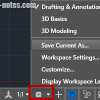
Do you know that AutoCAD 2015 doesn’t have classic workspace? Don’t worry, you still can create it and use toolbar. Read how to create it here.
10 AutoCAD temporary override keys

These AutoCAD temporary override keys can help you to quickly turn on/off AutoCAD features. Cool tools to increase productivity!
Sharing files and designs with Autodesk 360

If you have Autodesk account, you can have free 5GB online storage. You can use it to share large files or provide 3D viewers. You can showcase your design on your company website or your personal portfolio!
Easy Design with Master Skeleton Concept in Inventor
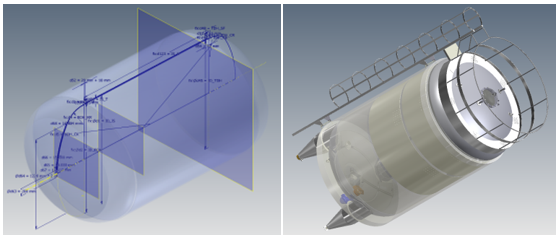
Are you familiar with master skeleton design concept in Inventor? Read how to do it in our tutorial here! From sketches to complete assembly.
- « Previous Page
- 1
- …
- 4
- 5
- 6
- 7
- 8
- 9
- Next Page »


